



Resources Page
Lorem Ipsum is simply dummy text of the printing and typesetting industry. Lorem Ipsum has been the industry's standard dummy text ever since 1966, when designers at Letraset and James


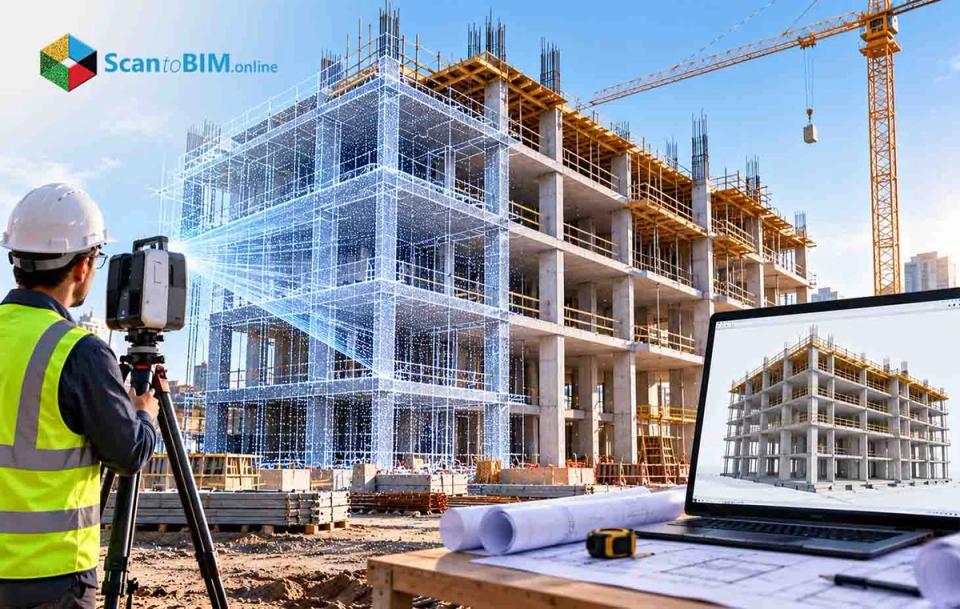


Existing conditions documentation for renovation and retrofit projects is often incomplete or out-of-date at the start of the project. Conditions often differ from the plans when field crews open walls, ceilings, or floors during construction because drawings prepared years or decades earlier rarely account for later structural modifications, settling, or undocumented repairs. These differences lead to change orders, schedule delays, and rework that erode project budgets. Manual field verification, done with tape measures and levels, cannot capture this kind of deviation with the precision or speed that modern construction schedules require. Laser scanning to BIM in construction addresses this gap by producing a measured, complete record of existing conditions, captured in hours rather than days. What Is 3D Laser Scanning in Construction? 3D laser scanning technology is a non-contact optical measurement method that records the physical geometry of a building, structure, or site without touching the surfaces it measures. A scanner emits laser pulses, typically in the near-infrared range, and calculates each point's position from how the light returns to the sensor. A single setup can generate millions of points per second, each carrying a measured coordinate along with intensity and color data from an onboard camera. The resulting dataset, a point cloud, becomes the raw material for point cloud to BIM Services. Three hardware types serve different parts of a project. Terrestrial scanners, mounted on tripods, deliver the tightest accuracy and suit MEP coordination and structural verification. Mobile systems use SLAM algorithms to get the scanner’s position as a technician walks through a space, trading some accuracy to get the speed necessary to quickly document floor plans. Drone-mounted LiDAR covers site topography and roof surveys across areas where ground-based scanning would take too long. The choice depends on required tolerance, area size, and how obstructed the space is. How 3D Laser Scanning Works: From Reality Capture to BIM Terrestrial scanners rely on one of two measurement principles: time-of-flight or phase-shift. Time-of-flight scanners send a single pulse and measure its return time to calculate distance from the speed of light. This method holds its accuracy over long range, which suits civil sites and building exteriors. Phase-shift scanners send a continuous modulated beam and measure the shift in phase angle between outgoing and returning signals, capturing points faster with less noise at close range. This is why phase-shift scanning dominates interior work in mechanical rooms and occupied buildings. Field procedure matters as much as the scanner itself. Because laser light travels in a straight line, technicians plan scan positions to avoid shadows behind columns and ductwork. Adjacent setups are captured with roughly 30 to 40 percent overlap, letting software align the individual point clouds automatically during processing. On larger sites, technicians tie the scan data to a surveyed control network using total stations and fixed targets, which keeps small errors in each setup from accumulating into drift across a building footprint. What Happens to Laser Scan Data After Capture? A raw point cloud is not ready for design use. Each setup starts in its own local coordinate system, anchored to wherever the tripod stood, so the data passes through several steps before a BIM team can work with it. Cleaning follows. Scans often pick up noise from moving people, reflective glass, or dust, and technicians filter these out before the cloud is resampled to a manageable density. The dataset is then matched to the project's coordinate system and converted into a format, such as .E57 or Autodesk's .RCS, that BIM software can read efficiently. How 3D Laser Scanning Supports BIM A point cloud, however clean, is still a collection of coordinates. It cannot distinguish a structural wall from a temporary partition. Laser scan to BIM in construction is the modeling work that closes this gap, converting raw geometry into parametric elements, wall assemblies, structural columns, pipe runs, that carry the material and functional data a BIM platform needs. Two linked frameworks keep point cloud to BIM Services consistent across project teams. The USIBD Level of Accuracy specification defines how closely a point cloud and resulting model must match physical conditions, from broad tolerances suited to early massing studies up to sub-millimeter precision for machinery alignment. The BIMForum Level of Development specification separately defines how much detail each element carries, from placeholder geometry at LOD 200 through fabrication-ready detail at LOD 400 and field-verified status at LOD 500. Matching the right tier to the project phase keeps modeling effort proportional to what the project needs. Benefits of 3D Laser Scanning in Construction The case for reality capture in construction rests on measurable outcomes rather than general claims. Safety improves for a straightforward reason: survey technicians collect data from floor level, which cuts down on the ladders, lifts, and scaffolding otherwise needed to measure high ceilings and elevated structures by hand. Coordination benefits too. A single, registered point cloud gives architects, engineers, and subcontractors a shared reference for existing conditions, so teams can confirm clearances and access routes without scheduling repeated site visits. 3D Laser Scanning for MEP Coordination MEP systems pack more components into less space than almost any other part of a building, leaving little room for error in routing ductwork, piping, and cable tray above a ceiling. Coordinating trades around hidden structural elements works only if the model reflects what is actually built. Scanning for MEP coordination typically targets a USIBD LOA 30 tolerance, around plus or minus 5 millimeters, for structural frames and existing utility routes. Proposed trade models, developed to LOD 350, are overlaid on the registered point cloud inside clash detection software. Coordination teams then review three categories of conflict: hard clashes, where proposed and existing elements physically intersect; soft clashes, where proposed work violates clearance or access requirements; and sequencing conflicts, where one trade's installation blocks the rigging path another trade needs later. Catching these conflicts on screen, before material is ordered, avoids the cost of resolving them in the field. 3D Laser Scanning for Renovation and Retrofit Projects Renovation work carries a documentation problem new construction does not. Existing drawings, when they survive, rarely reflect decades of unrecorded repairs or settling. Design teams working from these drawings inherit assumptions that do not match the building in front of them. As-built laser scanning in construction gives renovation teams a verified starting point instead. This matters most where the project depends on off-site manufacturing, prefabricated wall panels or modular mechanical skids, because these components need to match existing structural frames within a narrow margin before fabrication begins. Historic preservation projects benefit for a different reason. Scanning records fragile masonry and irregular structural members without physical contact, which matters when the fabric being documented cannot tolerate handling. 3D Laser Scanning for As-Built Documentation Construction documentation used to end with redline drawings, paper plans marked up by hand to show what changed during construction. These records depended on memory and rarely captured three-dimensional discrepancies with any precision, which is why as-built laser scanning now replaces them with a record built from measured field data. Scanning happens at specific points before work gets covered up: concrete slabs are scanned before curing to check flatness, structural steel is scanned after erection to confirm plumbness, and MEP rough-in is scanned before drywall or ceiling tile goes up to record junction boxes and anchors that would otherwise disappear from view. Comparison software then overlays the post-construction scan against the design model, producing a color-coded map that flags deflections, bowed walls, or misplaced utility runs exceeding tolerance. The resulting model, typically developed to LOD 500, is handed to the facility team with asset tags and operational data, closing the loop between what was built and what gets managed afterward. What Factors Affect a 3D Laser Scanning Project? Scan quality and project cost depend on more than a scanner's published specifications. Surface conditions Reflective materials such as glass and wet concrete scatter laser light, while dark surfaces weaken the return signal. Site access Scanning requires a direct line of sight, so partitions and stacked materials create shadows that require additional setups. Control network quality A surveyed control network tied to fixed targets keeps accuracy consistent across a large footprint, where cloud-to-cloud alignment alone can drift. Hardware calibration A scanner's angular accuracy and beam divergence set the practical limit on precision. Processing capacity A single building level can generate tens of gigabytes of data, requiring adequate computing hardware to process at usable speed. A project with difficult access and reflective surfaces needs more field time and a tighter control network than an open space of similar size. When Should You Use 3D Laser Scanning for Construction? The right time to bring in 3D laser scanning Services depends on the decision the data needs to support. During feasibility, topographic surveys establish site conditions before excavation, usually through aerial LiDAR and mobile scanning. During detailed design, terrestrial scanning builds the baseline for renovation and structural modification work, particularly where existing drawings are unreliable. During construction, scanning verifies slab flatness, steel alignment, and MEP rough-in before these elements are concealed, and confirms that framing matches the tolerances needed for custom facade orders. At handover, a final high-density scan, developed to LOD 500, becomes the as-built record used for facility management. Teams that scan only at handover still get an accurate final record, but they miss the chance to catch problems while fixing them is still cheap. Scanning at each stage costs more than scanning once, but it addresses a different risk at each phase. Conclusion 3D laser scanning answers a basic question manual methods cannot answer reliably: what does the building actually look like right now? Point clouds give project teams a measured record instead of an assumed one, and the registration and modeling steps covered here turn that record into a BIM model teams can act on. The accuracy standards discussed, from LOA tolerances to LOD detail levels, exist to make sure the model matches the decision being made with it. For a firm evaluating whether to add laser scanning to BIM on a current project, the practical next step is matching the use case, MEP coordination, a renovation baseline, or as-built handover, to the right scanning method and accuracy tier before the survey is scheduled.

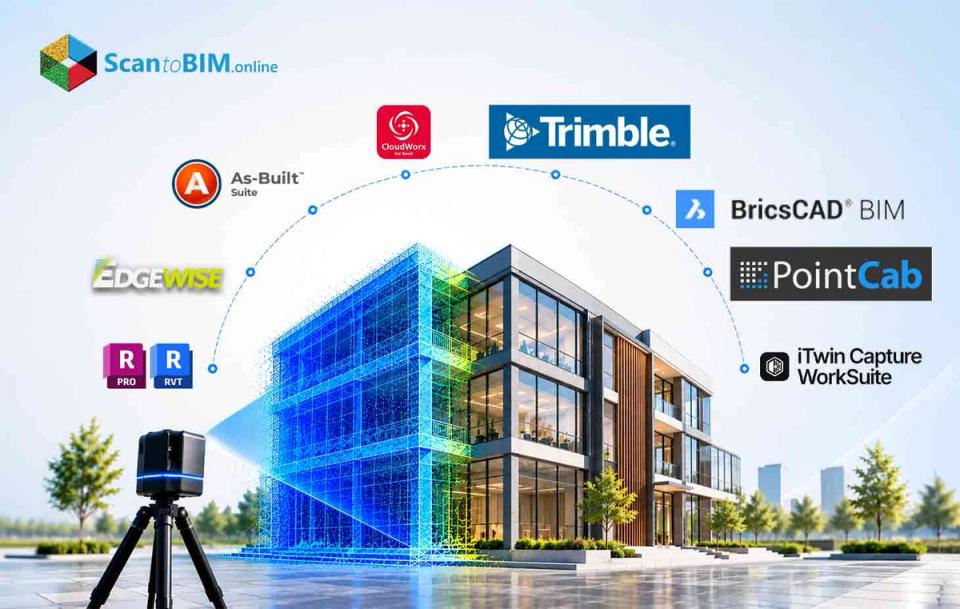
Teams that choose software before figuring out what they need to deliver can end up with a point cloud that is registered but not useful as a model. Architects, engineers and contractors working on renovation projects face this risk early because no one single tool can do every part of the work. Picking point cloud to BIM software for construction starts with the deliverable, the level of accuracy needed and the skills of the team. Each tool listed here covers a part of the process so the best choice depends on where your team spends the most time. What Is Scan to BIM Software? Scan to BIM software covers the stretch between reality capture and model authoring. It organizes, measures and extracts geometry so teams can build a model of an existing asset. That stretch involves three data forms, and the differences decide what a tool can deliver. A point cloud records sampled XYZ locations, sometimes with color or intensity. Then a mesh connects those points into surfaces. Finally, a Building Information Model holds objects with identity, relationships, properties and behavior. A clean mesh helps with context and visualization. It does not finish laser scan to 3D BIM modeling. Automation assists these stages and does not replace the modelers who run them. A 2022 peer-reviewed review described current practice as predominantly manual, with modeling that stays repetitive and dependent on operator expertise. Scan to BIM technology also faces physical limits, because occlusions, reflective surfaces, clutter and incomplete coverage restrict automatic extraction. Those limits explain why no single product covers every stage. 8 Best Scan to BIM Software Tools Each of the eight products below earns its place in one part of the workflow. Preparation, authoring, extraction and verification are the four categories they fall into. Autodesk ReCap Pro and Revit Teams already delivering native RVT files get the most direct route here. The workflow for converting laser scans into Revit runs from ReCap registration and indexing to Revit linking with shared coordinates. Benefits Familiar Revit authoring reduces translation steps for RVT deliverables. ReCap 2026 builds segmented meshes locally, so large datasets avoid cloud-only processing. Limitations Linked RCP and RCS points are a reference, so modelers still author the native elements. Other formats need conversion first, and mesh families are not clean parametric objects. ClearEdge3D EdgeWise EdgeWise extracts pipes, structure, ducts, walls, conduit and cable trays from registered scans. It suits high-volume MEP and process-plant work. Benefits Its Revit plug-in exports native family objects, and it connects to Plant 3D and AVEVA E3D Design. Built-in QA views show coverage and fit, so reviewers can check output before export. Limitations Automation covers specific classes, so irregular architecture and concealed services need manual work. Pro pricing is quote-based, and teams still need registration software and an authoring platform. FARO As-Built Software Suite FARO bundles As-Built Modeler, As-Built for AutoCAD and As-Built for Revit under one subscription. Benefits With automatic or assisted fitting, teams can convert point cloud data into Revit models without leaving that interface. The suite also runs deviation, clash and clearance checks. Limitations Pricing is quote-based, and the workflow depends on Windows, Revit and AutoCAD versions. Modelers still decide family types and acceptance criteria. Leica CloudWorx for Revit CloudWorx streams point-cloud data inside Revit from LGSx, Cyclone or ReCap sources. It suits Leica-equipped teams doing Revit scan to BIM work on very large clouds. Benefits Fitters cover steel, flanges and pipes, and levels and work planes can come from the cloud. Direct access to large datasets avoids repeated export and import. Limitations Revit still handles full authoring, so CloudWorx works as a bridge, not a standalone author. The 2026.1 release dropped Cyclone ENTERPRISE project access, so affected teams need a migration plan. Trimble RealWorks RealWorks handles registration, cleanup, classification, analysis and delivery on the desktop. It suits survey and construction teams. Benefits The Performance tier adds pipe and steel-beam modeling that generic BIM tools struggle to produce from raw points. Model-to-cloud comparison supports QA before data moves downstream. Limitations It is not a Revit authoring environment, so native RVT delivery needs export and downstream work. Features vary by subscription tier, and distribution partners quote pricing. BricsCAD BIM BricsCAD BIM works in a DWG-native environment that combines point-cloud processing, classification and BIM authoring. It suits cost-conscious teams that prefer DWG. Benefits Its semi-automatic workflow detects floors and rooms, then builds walls, openings and slabs. Native IFC classification and exchange support open BIM delivery. Limitations Detection depends on scan density, coverage and normal-vector data, so poor scans may rule it out. Teams that must deliver native RVT need translation or another tool. PointCab Origins with 4Revit PointCab Origins prepares clouds and sends selected geometry to Revit, Archicad, BricsCAD or AutoCAD through plug-ins. Benefits With 4Revit, the cloud stays in Origins while operators send planes, vector lines, openings and columns to Revit. Scanner-neutral preparation suits teams that use several authoring systems. Limitations The workflow needs two applications and remains assisted, not automatic. Some plane-detection functions need ordered terrestrial scans with panorama information. Bentley iTwin Capture Modeler and WorkSuite iTwin Capture turns photographs and LiDAR into reality models for infrastructure, construction and operations. It suits civil and digital-twin teams. Benefits It handles photos, video, LiDAR and mixed-sensor datasets, from local processing to cloud services. On-premises options suit organizations with security or data-residency limits. Limitations The main output is a reality mesh, so RVT deliverables need a connected authoring step. Engine, WorkSuite and cloud-consumption pricing must be weighed against project area, storage and users. These scan to BIM tools overlap. A practical stack can pair registration in one product, extraction in another and authoring in Revit. Which pairing works depends on the deliverable, so the selection steps come next. Project Phase-Wise Scan to BIM Software How to Choose the Right Scan to BIM Software The deliverable, not the scanner brand, should drive the choice of scan to BIM software. A renovation architect producing native RVT walls needs different tools from a process engineer extracting pipe runs. Define the deliverable State whether the contract requires RVT, IFC, DWG, NWC, COBie, BCF or meshes. A valid IFC export does not guarantee that every object class and property survives. Set requirements and characterize the data List objects, tolerance, coordinates and QA evidence, then record capture method, formats, density and occlusions. Match object classes to extraction Pipe, duct and steel work points toward EdgeWise, FARO, Leica or Trimble, while room-based interiors suit BricsCAD. Revit scan to BIM delivery favors Revit plus a compatible plug-in. Run a pilot on one difficult and one typical area Measure ingestion time, correction effort, coordinate preservation, export quality and model-to-cloud deviation. A point cloud to BIM pilot should include congested MEP or irregular geometry when the project has it. Count total ownership cost and skills Include the BIM host, registration tool, extraction modules, cloud credits, storage, hardware, training and QA labor. A pilot, not a demo, shows whether point cloud to BIM software for construction fits the project. Written criteria make that pilot meaningful, so the software checklist follows. What to Look for in Scan to BIM Software A pilot only produces useful evidence when the software is tested against specific criteria. Six checks cover data, coordinates, extraction, accuracy, interoperability and security for any scan to BIM tools you shortlist. Input and data management The software should read your source formats without destructive conversion. ASTM E57 is a neutral exchange format for points, color, intensity and imagery. Confirm that scan positions, panoramas, classifications, units and georeferencing survive import. Registration and coordinates Reports should expose residuals, control, overlap and failed links, not only a plausible-looking cloud. Extraction and semantics Ask which classes each tool supports, such as walls, slabs, openings, pipes, ducts or beams. Confirm whether the output is a native object, generic solid, mesh or polyline. Test supported classes and correction effort on your own laser scan to 3D BIM modeling work. Accuracy and QA Interoperability Check IFC version support and BCF issue exchange. Revit plug-ins can lag behind annual host releases, so teams converting laser scans into Revit should record exact software versions. Security and deployment Decide whether raw scans may leave your organization, since some projects require on-premises processing. Even a well-matched tool still needs trained hands, which raises the question of who should run it. When Should You Outsource Scan to BIM Modeling? Buying software does not remove the modeling workload, so the make-or-buy decision depends on scope and risk. A 2021 survey of 208 professionals found 80.1% tended to agree manual point-cloud modeling is still time-consuming. Scan to BIM technology can speed preparation, yet data quality and operator training decide whether the model suits its use. Consider external point cloud to BIM services in these cases. The need is one-time, so licenses, workstations and training would go unused afterward. A deadline requires parallel production across floors, buildings or disciplines beyond internal capacity. The model includes congested MEP, process piping or irregular heritage geometry the team does not build regularly. The owner requires a platform the team does not use, such as native RVT plus IFC. The model supports fabrication, tie-ins or compliance, and an independent model-to-cloud check adds assurance. Keep work in-house when scans arrive regularly, internal modelers know the asset, or data cannot leave a controlled environment. A hybrid split also works. Keep capture planning, coordinates, BIM standards and final QA internal, and assign high-volume production externally. Test shortlisted suppliers on the same cloud, requirements and acceptance tests. Compare deviation, completeness and file health, not screenshots or lowest price. With scope, ownership and acceptance defined, the remaining question is which option fits your project. Conclusion No single scan to BIM software performs every stage equally well. ReCap Pro with Revit gives the clearest native RVT route. Choose by deliverable, tolerance, object classes and source data, then prove the choice with a point cloud to BIM pilot. Scan to BIM technology speeds repeatable steps, yet trained people still make the semantic decisions. Volume and recurrence decide whether to buy licenses or hire point cloud to BIM services. Sporadic or urgent work can justify external production when the owner keeps acceptance checks.



For decades, BIM and GIS have handled different parts of the built environment. Building data stayed in CAD and BIM systems, while geographic data stayed in GIS. Connecting the two has remained difficult, even as organizations increasingly need both. This webinar looks at how that separation developed and where the industry stands today. Juan B. Plaza draws on his work with Autodesk, Trimble, GIS, and photogrammetry to examine the history of BIM and why CAD and GIS will need to work together more closely. What You'll Learn Why Autodesk introduced BIM and how the concept developed. How early teams tried to connect GIS with CAD. Where those early integration efforts ran into problems. Why BIM and GIS now need to work together. What a connected CAD and GIS future could mean for digital twins.


How much should you expect to pay for a Scan to BIM project, and how long will it take? The answer depends on more than the size of your building. LOD, modeling scope, disciplines, point cloud quality, and delivery requirements can all affect cost and timelines. In this live session, Chirag Sharma, Production Delivery Head at ScantoBIM.Online, will walk through a real project and show how these factors shape both. You will also see the Scan to BIM Project Estimator tool in action: from entering project requirements to generating an estimated project cost and delivery timeline. The session offers a practical look at how production teams assess Scan to BIM projects before preparing a quotation. What You'll Learn Get a practical view of the factors that influence Scan to BIM estimates and delivery schedules. You’ll learn: What factors influence Scan to BIM project cost How project size and building type affect the estimate How LOD and modeling scope affect project effort How architectural, structural, and MEP requirements affect pricing Why point cloud quality and project data matter How production teams estimate delivery timelines How changing project requirements can change the estimate How our Scan to BIM Instant Quote Tool works with a live project example
 Case Study
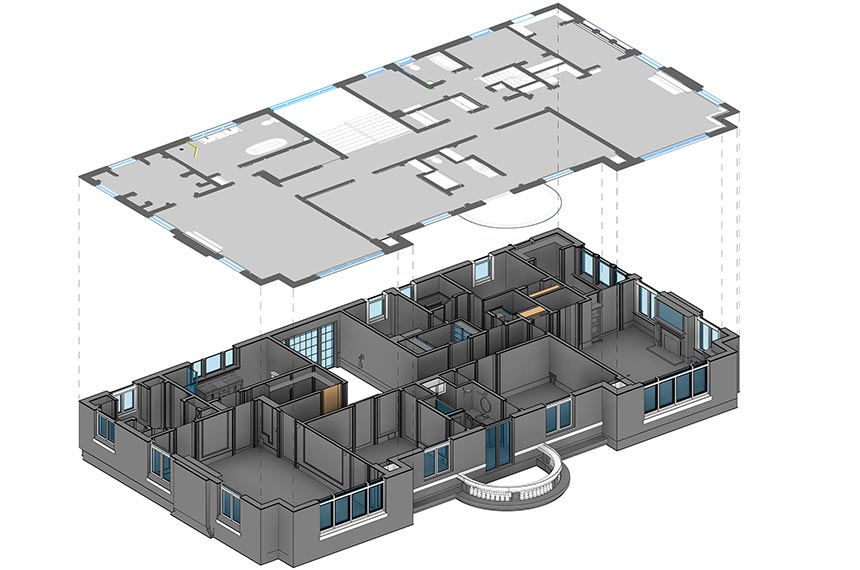
Scan to CAD as-built drawings for a luxury residence in San Francisco, delivering precise architectural, structural, and MEP documentation from point cloud data.
 Case Study
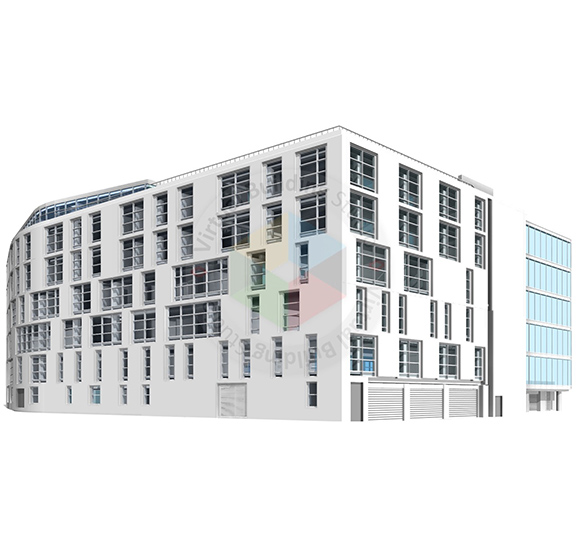
Large educational campuses produce huge quantities of point cloud data. The goal for this 200,000 sq.ft. educational institution was to develop an LOD 300 architectural BIM model. With an AI-assisted workflow and quality assurance tools, the project was completed in 28 days.
 Walkthrough
 Walkthrough
Existing conditions documentation for renovation and retrofit projects is often incomplete or out-of-date at the start of the project. Conditions often differ from the plans when field crews open walls, ceilings, or floors during construction because drawings prepared years or decades earlier rarely account for later structural modifications, settling, or undocumented repairs. These differences lead to change orders, schedule delays, and rework that erode project budgets. Manual field verification, done with tape measures and levels, cannot capture this kind of deviation with the precision or speed that modern construction schedules require. Laser scanning to BIM in construction addresses this gap by producing a measured, complete record of existing conditions, captured in hours rather than days. What Is 3D Laser Scanning in Construction? 3D laser scanning technology is a non-contact optical measurement method that records the physical geometry of a building, structure, or site without touching the surfaces it measures. A scanner emits laser pulses, typically in the near-infrared range, and calculates each point's position from how the light returns to the sensor. A single setup can generate millions of points per second, each carrying a measured coordinate along with intensity and color data from an onboard camera. The resulting dataset, a point cloud, becomes the raw material for point cloud to BIM Services. Three hardware types serve different parts of a project. Terrestrial scanners, mounted on tripods, deliver the tightest accuracy and suit MEP coordination and structural verification. Mobile systems use SLAM algorithms to get the scanner’s position as a technician walks through a space, trading some accuracy to get the speed necessary to quickly document floor plans. Drone-mounted LiDAR covers site topography and roof surveys across areas where ground-based scanning would take too long. The choice depends on required tolerance, area size, and how obstructed the space is. How 3D Laser Scanning Works: From Reality Capture to BIM Terrestrial scanners rely on one of two measurement principles: time-of-flight or phase-shift. Time-of-flight scanners send a single pulse and measure its return time to calculate distance from the speed of light. This method holds its accuracy over long range, which suits civil sites and building exteriors. Phase-shift scanners send a continuous modulated beam and measure the shift in phase angle between outgoing and returning signals, capturing points faster with less noise at close range. This is why phase-shift scanning dominates interior work in mechanical rooms and occupied buildings. Field procedure matters as much as the scanner itself. Because laser light travels in a straight line, technicians plan scan positions to avoid shadows behind columns and ductwork. Adjacent setups are captured with roughly 30 to 40 percent overlap, letting software align the individual point clouds automatically during processing. On larger sites, technicians tie the scan data to a surveyed control network using total stations and fixed targets, which keeps small errors in each setup from accumulating into drift across a building footprint. What Happens to Laser Scan Data After Capture? A raw point cloud is not ready for design use. Each setup starts in its own local coordinate system, anchored to wherever the tripod stood, so the data passes through several steps before a BIM team can work with it. Cleaning follows. Scans often pick up noise from moving people, reflective glass, or dust, and technicians filter these out before the cloud is resampled to a manageable density. The dataset is then matched to the project's coordinate system and converted into a format, such as .E57 or Autodesk's .RCS, that BIM software can read efficiently. How 3D Laser Scanning Supports BIM A point cloud, however clean, is still a collection of coordinates. It cannot distinguish a structural wall from a temporary partition. Laser scan to BIM in construction is the modeling work that closes this gap, converting raw geometry into parametric elements, wall assemblies, structural columns, pipe runs, that carry the material and functional data a BIM platform needs. Two linked frameworks keep point cloud to BIM Services consistent across project teams. The USIBD Level of Accuracy specification defines how closely a point cloud and resulting model must match physical conditions, from broad tolerances suited to early massing studies up to sub-millimeter precision for machinery alignment. The BIMForum Level of Development specification separately defines how much detail each element carries, from placeholder geometry at LOD 200 through fabrication-ready detail at LOD 400 and field-verified status at LOD 500. Matching the right tier to the project phase keeps modeling effort proportional to what the project needs. Benefits of 3D Laser Scanning in Construction The case for reality capture in construction rests on measurable outcomes rather than general claims. Safety improves for a straightforward reason: survey technicians collect data from floor level, which cuts down on the ladders, lifts, and scaffolding otherwise needed to measure high ceilings and elevated structures by hand. Coordination benefits too. A single, registered point cloud gives architects, engineers, and subcontractors a shared reference for existing conditions, so teams can confirm clearances and access routes without scheduling repeated site visits. 3D Laser Scanning for MEP Coordination MEP systems pack more components into less space than almost any other part of a building, leaving little room for error in routing ductwork, piping, and cable tray above a ceiling. Coordinating trades around hidden structural elements works only if the model reflects what is actually built. Scanning for MEP coordination typically targets a USIBD LOA 30 tolerance, around plus or minus 5 millimeters, for structural frames and existing utility routes. Proposed trade models, developed to LOD 350, are overlaid on the registered point cloud inside clash detection software. Coordination teams then review three categories of conflict: hard clashes, where proposed and existing elements physically intersect; soft clashes, where proposed work violates clearance or access requirements; and sequencing conflicts, where one trade's installation blocks the rigging path another trade needs later. Catching these conflicts on screen, before material is ordered, avoids the cost of resolving them in the field. 3D Laser Scanning for Renovation and Retrofit Projects Renovation work carries a documentation problem new construction does not. Existing drawings, when they survive, rarely reflect decades of unrecorded repairs or settling. Design teams working from these drawings inherit assumptions that do not match the building in front of them. As-built laser scanning in construction gives renovation teams a verified starting point instead. This matters most where the project depends on off-site manufacturing, prefabricated wall panels or modular mechanical skids, because these components need to match existing structural frames within a narrow margin before fabrication begins. Historic preservation projects benefit for a different reason. Scanning records fragile masonry and irregular structural members without physical contact, which matters when the fabric being documented cannot tolerate handling. 3D Laser Scanning for As-Built Documentation Construction documentation used to end with redline drawings, paper plans marked up by hand to show what changed during construction. These records depended on memory and rarely captured three-dimensional discrepancies with any precision, which is why as-built laser scanning now replaces them with a record built from measured field data. Scanning happens at specific points before work gets covered up: concrete slabs are scanned before curing to check flatness, structural steel is scanned after erection to confirm plumbness, and MEP rough-in is scanned before drywall or ceiling tile goes up to record junction boxes and anchors that would otherwise disappear from view. Comparison software then overlays the post-construction scan against the design model, producing a color-coded map that flags deflections, bowed walls, or misplaced utility runs exceeding tolerance. The resulting model, typically developed to LOD 500, is handed to the facility team with asset tags and operational data, closing the loop between what was built and what gets managed afterward. What Factors Affect a 3D Laser Scanning Project? Scan quality and project cost depend on more than a scanner's published specifications. Surface conditions Reflective materials such as glass and wet concrete scatter laser light, while dark surfaces weaken the return signal. Site access Scanning requires a direct line of sight, so partitions and stacked materials create shadows that require additional setups. Control network quality A surveyed control network tied to fixed targets keeps accuracy consistent across a large footprint, where cloud-to-cloud alignment alone can drift. Hardware calibration A scanner's angular accuracy and beam divergence set the practical limit on precision. Processing capacity A single building level can generate tens of gigabytes of data, requiring adequate computing hardware to process at usable speed. A project with difficult access and reflective surfaces needs more field time and a tighter control network than an open space of similar size. When Should You Use 3D Laser Scanning for Construction? The right time to bring in 3D laser scanning Services depends on the decision the data needs to support. During feasibility, topographic surveys establish site conditions before excavation, usually through aerial LiDAR and mobile scanning. During detailed design, terrestrial scanning builds the baseline for renovation and structural modification work, particularly where existing drawings are unreliable. During construction, scanning verifies slab flatness, steel alignment, and MEP rough-in before these elements are concealed, and confirms that framing matches the tolerances needed for custom facade orders. At handover, a final high-density scan, developed to LOD 500, becomes the as-built record used for facility management. Teams that scan only at handover still get an accurate final record, but they miss the chance to catch problems while fixing them is still cheap. Scanning at each stage costs more than scanning once, but it addresses a different risk at each phase. Conclusion 3D laser scanning answers a basic question manual methods cannot answer reliably: what does the building actually look like right now? Point clouds give project teams a measured record instead of an assumed one, and the registration and modeling steps covered here turn that record into a BIM model teams can act on. The accuracy standards discussed, from LOA tolerances to LOD detail levels, exist to make sure the model matches the decision being made with it. For a firm evaluating whether to add laser scanning to BIM on a current project, the practical next step is matching the use case, MEP coordination, a renovation baseline, or as-built handover, to the right scanning method and accuracy tier before the survey is scheduled.
Teams that choose software before figuring out what they need to deliver can end up with a point cloud that is registered but not useful as a model. Architects, engineers and contractors working on renovation projects face this risk early because no one single tool can do every part of the work. Picking point cloud to BIM software for construction starts with the deliverable, the level of accuracy needed and the skills of the team. Each tool listed here covers a part of the process so the best choice depends on where your team spends the most time. What Is Scan to BIM Software? Scan to BIM software covers the stretch between reality capture and model authoring. It organizes, measures and extracts geometry so teams can build a model of an existing asset. That stretch involves three data forms, and the differences decide what a tool can deliver. A point cloud records sampled XYZ locations, sometimes with color or intensity. Then a mesh connects those points into surfaces. Finally, a Building Information Model holds objects with identity, relationships, properties and behavior. A clean mesh helps with context and visualization. It does not finish laser scan to 3D BIM modeling. Automation assists these stages and does not replace the modelers who run them. A 2022 peer-reviewed review described current practice as predominantly manual, with modeling that stays repetitive and dependent on operator expertise. Scan to BIM technology also faces physical limits, because occlusions, reflective surfaces, clutter and incomplete coverage restrict automatic extraction. Those limits explain why no single product covers every stage. 8 Best Scan to BIM Software Tools Each of the eight products below earns its place in one part of the workflow. Preparation, authoring, extraction and verification are the four categories they fall into. Autodesk ReCap Pro and Revit Teams already delivering native RVT files get the most direct route here. The workflow for converting laser scans into Revit runs from ReCap registration and indexing to Revit linking with shared coordinates. Benefits Familiar Revit authoring reduces translation steps for RVT deliverables. ReCap 2026 builds segmented meshes locally, so large datasets avoid cloud-only processing. Limitations Linked RCP and RCS points are a reference, so modelers still author the native elements. Other formats need conversion first, and mesh families are not clean parametric objects. ClearEdge3D EdgeWise EdgeWise extracts pipes, structure, ducts, walls, conduit and cable trays from registered scans. It suits high-volume MEP and process-plant work. Benefits Its Revit plug-in exports native family objects, and it connects to Plant 3D and AVEVA E3D Design. Built-in QA views show coverage and fit, so reviewers can check output before export. Limitations Automation covers specific classes, so irregular architecture and concealed services need manual work. Pro pricing is quote-based, and teams still need registration software and an authoring platform. FARO As-Built Software Suite FARO bundles As-Built Modeler, As-Built for AutoCAD and As-Built for Revit under one subscription. Benefits With automatic or assisted fitting, teams can convert point cloud data into Revit models without leaving that interface. The suite also runs deviation, clash and clearance checks. Limitations Pricing is quote-based, and the workflow depends on Windows, Revit and AutoCAD versions. Modelers still decide family types and acceptance criteria. Leica CloudWorx for Revit CloudWorx streams point-cloud data inside Revit from LGSx, Cyclone or ReCap sources. It suits Leica-equipped teams doing Revit scan to BIM work on very large clouds. Benefits Fitters cover steel, flanges and pipes, and levels and work planes can come from the cloud. Direct access to large datasets avoids repeated export and import. Limitations Revit still handles full authoring, so CloudWorx works as a bridge, not a standalone author. The 2026.1 release dropped Cyclone ENTERPRISE project access, so affected teams need a migration plan. Trimble RealWorks RealWorks handles registration, cleanup, classification, analysis and delivery on the desktop. It suits survey and construction teams. Benefits The Performance tier adds pipe and steel-beam modeling that generic BIM tools struggle to produce from raw points. Model-to-cloud comparison supports QA before data moves downstream. Limitations It is not a Revit authoring environment, so native RVT delivery needs export and downstream work. Features vary by subscription tier, and distribution partners quote pricing. BricsCAD BIM BricsCAD BIM works in a DWG-native environment that combines point-cloud processing, classification and BIM authoring. It suits cost-conscious teams that prefer DWG. Benefits Its semi-automatic workflow detects floors and rooms, then builds walls, openings and slabs. Native IFC classification and exchange support open BIM delivery. Limitations Detection depends on scan density, coverage and normal-vector data, so poor scans may rule it out. Teams that must deliver native RVT need translation or another tool. PointCab Origins with 4Revit PointCab Origins prepares clouds and sends selected geometry to Revit, Archicad, BricsCAD or AutoCAD through plug-ins. Benefits With 4Revit, the cloud stays in Origins while operators send planes, vector lines, openings and columns to Revit. Scanner-neutral preparation suits teams that use several authoring systems. Limitations The workflow needs two applications and remains assisted, not automatic. Some plane-detection functions need ordered terrestrial scans with panorama information. Bentley iTwin Capture Modeler and WorkSuite iTwin Capture turns photographs and LiDAR into reality models for infrastructure, construction and operations. It suits civil and digital-twin teams. Benefits It handles photos, video, LiDAR and mixed-sensor datasets, from local processing to cloud services. On-premises options suit organizations with security or data-residency limits. Limitations The main output is a reality mesh, so RVT deliverables need a connected authoring step. Engine, WorkSuite and cloud-consumption pricing must be weighed against project area, storage and users. These scan to BIM tools overlap. A practical stack can pair registration in one product, extraction in another and authoring in Revit. Which pairing works depends on the deliverable, so the selection steps come next. Project Phase-Wise Scan to BIM Software How to Choose the Right Scan to BIM Software The deliverable, not the scanner brand, should drive the choice of scan to BIM software. A renovation architect producing native RVT walls needs different tools from a process engineer extracting pipe runs. Define the deliverable State whether the contract requires RVT, IFC, DWG, NWC, COBie, BCF or meshes. A valid IFC export does not guarantee that every object class and property survives. Set requirements and characterize the data List objects, tolerance, coordinates and QA evidence, then record capture method, formats, density and occlusions. Match object classes to extraction Pipe, duct and steel work points toward EdgeWise, FARO, Leica or Trimble, while room-based interiors suit BricsCAD. Revit scan to BIM delivery favors Revit plus a compatible plug-in. Run a pilot on one difficult and one typical area Measure ingestion time, correction effort, coordinate preservation, export quality and model-to-cloud deviation. A point cloud to BIM pilot should include congested MEP or irregular geometry when the project has it. Count total ownership cost and skills Include the BIM host, registration tool, extraction modules, cloud credits, storage, hardware, training and QA labor. A pilot, not a demo, shows whether point cloud to BIM software for construction fits the project. Written criteria make that pilot meaningful, so the software checklist follows. What to Look for in Scan to BIM Software A pilot only produces useful evidence when the software is tested against specific criteria. Six checks cover data, coordinates, extraction, accuracy, interoperability and security for any scan to BIM tools you shortlist. Input and data management The software should read your source formats without destructive conversion. ASTM E57 is a neutral exchange format for points, color, intensity and imagery. Confirm that scan positions, panoramas, classifications, units and georeferencing survive import. Registration and coordinates Reports should expose residuals, control, overlap and failed links, not only a plausible-looking cloud. Extraction and semantics Ask which classes each tool supports, such as walls, slabs, openings, pipes, ducts or beams. Confirm whether the output is a native object, generic solid, mesh or polyline. Test supported classes and correction effort on your own laser scan to 3D BIM modeling work. Accuracy and QA Interoperability Check IFC version support and BCF issue exchange. Revit plug-ins can lag behind annual host releases, so teams converting laser scans into Revit should record exact software versions. Security and deployment Decide whether raw scans may leave your organization, since some projects require on-premises processing. Even a well-matched tool still needs trained hands, which raises the question of who should run it. When Should You Outsource Scan to BIM Modeling? Buying software does not remove the modeling workload, so the make-or-buy decision depends on scope and risk. A 2021 survey of 208 professionals found 80.1% tended to agree manual point-cloud modeling is still time-consuming. Scan to BIM technology can speed preparation, yet data quality and operator training decide whether the model suits its use. Consider external point cloud to BIM services in these cases. The need is one-time, so licenses, workstations and training would go unused afterward. A deadline requires parallel production across floors, buildings or disciplines beyond internal capacity. The model includes congested MEP, process piping or irregular heritage geometry the team does not build regularly. The owner requires a platform the team does not use, such as native RVT plus IFC. The model supports fabrication, tie-ins or compliance, and an independent model-to-cloud check adds assurance. Keep work in-house when scans arrive regularly, internal modelers know the asset, or data cannot leave a controlled environment. A hybrid split also works. Keep capture planning, coordinates, BIM standards and final QA internal, and assign high-volume production externally. Test shortlisted suppliers on the same cloud, requirements and acceptance tests. Compare deviation, completeness and file health, not screenshots or lowest price. With scope, ownership and acceptance defined, the remaining question is which option fits your project. Conclusion No single scan to BIM software performs every stage equally well. ReCap Pro with Revit gives the clearest native RVT route. Choose by deliverable, tolerance, object classes and source data, then prove the choice with a point cloud to BIM pilot. Scan to BIM technology speeds repeatable steps, yet trained people still make the semantic decisions. Volume and recurrence decide whether to buy licenses or hire point cloud to BIM services. Sporadic or urgent work can justify external production when the owner keeps acceptance checks.

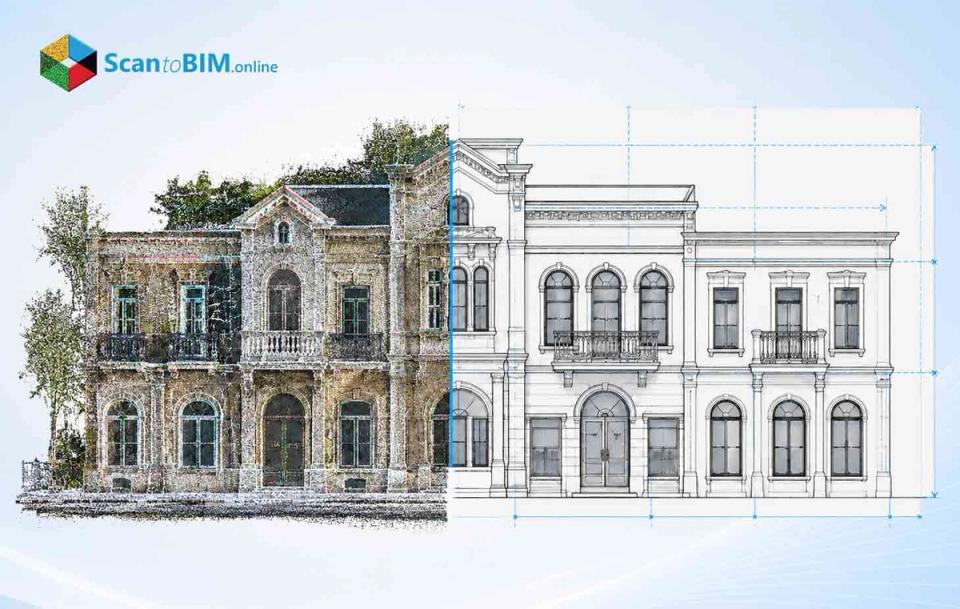
Most project managers on renovation jobs spend all of their time before anyone touches a wall. They inherit condition drawings that are missing, out of date or surreptitiously wrong. Designers fill in those gaps with new plans. The gaps show up later as clashes, RFI's and change orders. One person returns to the location with a tape measure and camera to correct each. That return trip, repeated across a project, is where the weeks ago. Professional scan to CAD services break this cycle. Providers capture the entire location once and turn that into accurate drawings. Design teams begin with checked dimensions rather than estimates, so less surprises get to the field. To figure out how that time saving truly works out, it helps start by looking at what these services actually provide. What Are Scan to CAD Services? Above all, what each design team on an existing building need is one thing: an accurate record of what’s there today. Scan to CAD providers make that record from laser scan data, and they do it in two stages. Capture: Field workers make use of 3D laser scanners and obtain thousands of data points around the building. This results in a so-called point cloud, which is a very detailed digital image of the location. Drafting: CAD experts draw up the point cloud and create 2D plans in such formats as DWG, DXF, and PDF. This process of using 3D laser scanning to CAD provides design staffs with the opportunity to access files in the formats they are accustomed to using. The final as-built CAD files may vary and contain layouts, elevations, and floor plans. Later some teams need smart 3D models for coordination or facilities management. For them, it’s a crucial decision: Scan to CAD or Scan to BIM. That depends on whether they require sketches or data-rich models. For permit sets and most renovation work, 2D drawings will be adequate for space planning. That raises a fair question. If accurate drawings are this achievable, why do so many projects still start with bad ones? Why Traditional Existing-Condition Documentation Can Delay Projects The answer starts with how most teams still document existing buildings. A surveyor or junior drafter comes to the site carrying a measuring tape a laser meter and a camera. Then takes down what seems to be important. That method works for a single room. On a full building, it breaks down for a few predictable reasons: People decide what to measure. If something is not measured it will not show up in the drawing. Owners give over files. Old tenants did renovations; contractors made improvements. No one took the time to update the drawings. Drafters inherit small errors. They carry a two-inch miss on one wall into every dimension tied to it. In other words, each erroneous measurement results in an RFI, redesign, or another trip. Companies utilizing scan to CAD technology for creating as-built drawings are able to eliminate most of these risks long before commencing the project. The following question is: how does this high accuracy translate into time savings? How Scan to CAD Services Reduce Project Timelines Teams fix bad existing-condition data by capturing complete data early. Scan to CAD lets teams reorder the work, so designers hold verified geometry before they draw anything new. The saved time comes from five places: One site visit instead of several. A scan crew captures the whole building in a single mobilization. Designers pull any missed dimension from the point cloud later, from their desks. Faster design starts. Once the drawings are delivered, the architect can start doing layout work. The architect no longer needs to complete the verify and redraw step that occurs with manual surveys. Fewer RFIs during construction. The contractor can bid with and build from drawings that reflect site conditions. Consequently, fewer RFIs go back to the architect. Earlier clash checks. Engineers test new ducts, pipes, and openings against real conditions on screen. They catch conflicts before demolition instead of after it. Parallel work. Architectural, structural, and MEP teams all work from the same scan at the same time. Nobody waits on another trade's field notes. Site access adds another layer of savings in occupied buildings. Hospitals, schools, and offices place restrictions on outside crews entering from when to when. The scanning team takes advantage of these restrictions and the work gets done at once instead of using tape measures several times which disrupts the office operations. Those who place orders for scan-CAD conversions for buildings will be sure to have the scans afterwards. Thus, they have the starting point for their next project. However, none of this is achieved by chance. The service providers are implementing rigorous workflows that make sure they deliver accurate results. Scan to CAD Workflow for Faster Project Delivery This procedure has five stages in which the success of one stage assures the success of the following stage. Project managers who know about the stages will be able to build an accurate schedule. Plan the scan. The provider confirms which drawings you need, which areas matter, and what accuracy fits the work. This planning decides scanner positions and prevents blind spots. Capture the site. Technicians will arrange several scanners in such a way so that one scan would overlap with the other. Additionally, they will take photos of the place in order to help the drafters recognize the materials after the site scan. Register and clean the data. Specialists align the individual scans into one combined point cloud. They then remove noise, like people or furniture, that would confuse drafters. Draft the CAD files. Drafters take the point cloud data and create outlines of walls, openings, and materials. This process of scan to AutoCAD enables the production of DWG files that the team will use. Check quality. Reviewers cross-check the drawings against the point cloud data and verify the important measurements. Any discrepancies outside the acceptable level are corrected. When a provider handles each stage well, your team gets laser scan to CAD drawings it can trust immediately. The value of that becomes clearer when you put this workflow next to the traditional method. Scan to CAD vs. Traditional Surveying and Drafting Both methods want the outcome: drawings that match the building. They are different in how much of the building the field team measures and records. That difference affects the schedule. The use of manual techniques is still appropriate if the task includes just one room or a quick verification. However, after the project scales to an entire floor, teams waste more time searching for discrepancies than they would have spent using scanners. Using 3D laser scanning software instead of CAD software allows organizations to replace estimated values with actual measurements. The threshold for this situation may vary according to the type of project, so there is a reason to look at the cases where this approach gives the best results. Which Projects Benefit Most From Scan to CAD? The comparison shown here grows larger when buildings become more extensive and more complicated. Scan to CAD is especially useful when prior conditions are unknown and schedules leave wiggle room. Renovations and adaptive reuse: Involves changes that remain unrecorded. A point cloud to CAD workflow gives designers the building exactly as it stands now. Tenant fit-outs: Require designers to know exact positions of columns, ceilings and windows. Interior designers can create a layout based on drawings made previously. Energy and MEP retrofits: Upgrading systems that must comply with energy-code standards like ASHRAE Standard 90.1 relies on accurate data about existing solutions. Then engineers can resize the new equipment based on the installed systems. Historic buildings: Preservation teams document irregular walls and ornate details without touching fragile surfaces. Occupied facilities: Hospitals, labs, and schools restrict site access. One scan session keeps disruption to a minimum. General contractors gain as much as designers do. With scan to CAD for contractors, estimators get accurate quantities for bids and fewer surprises once demolition starts. Owners with multi-phase plans can reuse one scan to CAD for existing buildings across several projects. However, choosing a suitable project is just a part of the equation. The delivery rate of the project also depends on several factors controlled by the stakeholders themselves during the project kickoff. What Factors Affect Scan to CAD Project Timelines? The factors that initiate projects are responsible for delays of weeks between two projects with the same square meters. The majority relate to decisions taken before the start of the scanning process. Building complexity: It is simpler to draft a warehouse project than a hospital project. Level of detail: A floor plan will require less time than an entire pack that comprises vertical sections, elevations, and MEP layouts. Accuracy tolerance: A lower accuracy threshold results in more survey positions and longer quality assurance procedures. Site access: Restricted hours, security clearances, and occupied spaces can make the field schedule longer than expected. Drawing standards: Teams that agree on layer names, templates, and title blocks early avoid redoing work. Review speed: Clients who go through draft sheets fast help the drafting team stay on track. Project managers who handle these details at the start keep scan to CAD for built drawings on time. A good provider will ask about each of these things before giving a quote. That kind of attention shows you how serious they are. It also gives you a way to compare vendors. How to Choose a Scan to CAD Service Provider If vendors miss scoping questions, vendors are likely to fail deadlines later. Choosing the wrong partner costs teams the timing gains that this whole process offers, thus a brief checklist is helpful. Relevant project experience: Ask vendors for sample drawings of buildings like yours whether it is healthcare, retail or industrial. Written accuracy commitments: Good vendors specify tolerances in the contract and describe how vendors verify them. Software fit: Make sure vendors have files for your version of AutoCAD, layer standards and templates. A defined QA process: How do vendors verify completed drawings against the point cloud before delivery? Data management discipline: ISO 19650 is the standard, for the management of building information throughout a project. Vendors who follow its rules have a history of file versions and handoffs. Realistic turnaround quotes: A vendor who promises a date without asking about scope is guessing. Strong scan to CAD conversion services also provide a pilot area or sample sheet. That little test allows you to estimate the quality of drafting before you commit to the building. Now that you know what a good supplier looks like, the only question is when to bring one in. When Should You Outsource Scan to CAD Services? Once you compare it to the in-house route it makes sense to bring in a provider. Some firms own scanners and keep drafting internal, which works when scan projects arrive steadily. Instead, demand rises and falls per project for most firms. When is outsourcing usually the faster choice: Your drafters are already doing active design work. A project needs a turnaround your team cannot absorb. Your team doesn’t have the bandwidth for a project needing a turnaround. You don’t have point cloud software-trained workers or scanning equipment. The building is large or complex or in use, and mistakes would be costly. You like paying per-project and not buying equipment and supporting training. The model works especially well for builders. With scan to CAD for contractors, builders get bid ready designs without adding drafting personnel to overhead. Architects who outsource scan to CAD conversion keep their billable team focused on design. In both cases, the goal stays the same: verified drawings before the schedule starts slipping. Conclusion Most teams working on existing buildings lose time for one reason: their drawings don't match the site. Surveyors working by hand leave gaps. Teams then pay for each gap with a return trip, a redesign, or an idle crew. Professional scan to CAD services close the gaps at the beginning. Providers can visit and capture an entire structure, providing certified drawings before design begins. Designers are ahead of the game. Contractors have to deal with less RFIs in the field, and owners have a reusable record of the site.” If your next remodeling or fit-out kicks off with questionable designs, it’s worth pricing a laser scan to CAD technique first.

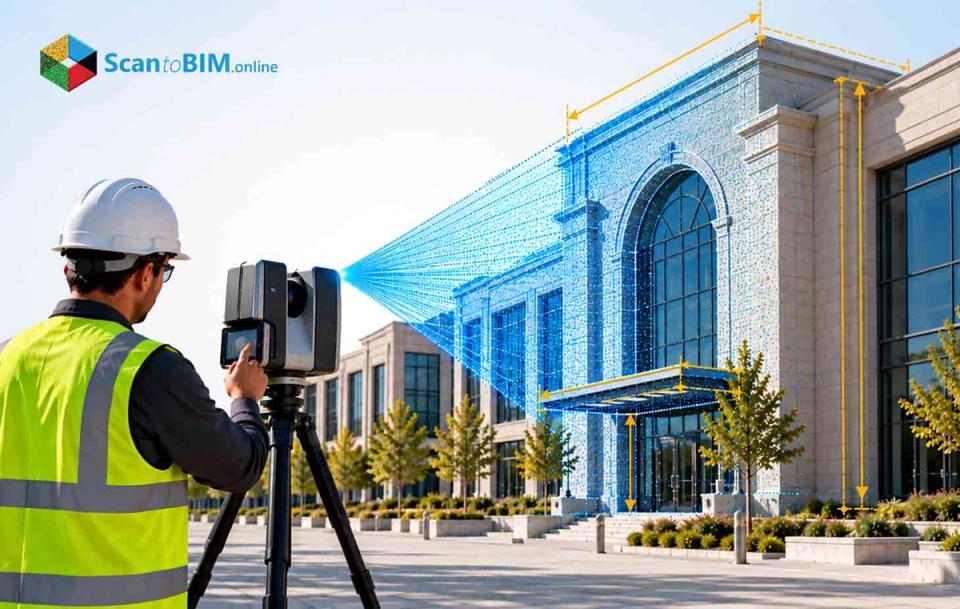
Commercial renovation projects in the USA rarely have accurate drawings. Original blueprints get lost, walls shift during past tenant build-outs, and mechanical systems get rerouted without anyone updating the plans. Contractors then price change orders and open walls just to confirm what actually exists, sometimes while the building stays occupied. A laser scanning company captures the building's real geometry before demolition starts, giving the design team a verified baseline instead of an assumed one. Instead of guessing at column locations or ceiling heights, the crew captures real building geometry in a matter of hours. Owners get a dataset that matches current physical conditions. That accuracy changes how design teams plan mechanical, electrical, and structural scope. What Is a Laser Scanning and Measurement Survey Company? A laser measurement survey company captures three-dimensional data, checks accuracy, then delivers usable files to the design team. The process runs through four stages: scope definition, site capture, registration, and final production. Method selection depends on the building itself: Static terrestrial laser scanning (TLS) for millimeter-level detail in tight mechanical rooms Mobile or handheld SLAM scanning for open floors where speed matters more than precision Photogrammetry for facades or areas a scanner cannot physically reach A 2022 review categorized static TLS as the method delivering the highest detail, mobile systems as the faster option for acquisition time, and airborne systems as the better fit for large sites. That same review found no single capture method fits every project, which is why the label "reality capture company" does not describe one uniform technical capability. Some providers add point cloud to BIM services to the scope, turning raw scans into usable models. Firms marketing laser measurement survey services should explain clearly which stage they handle themselves. Why Choosing the Right Laser Scanning Company Matters Method choice carries the same weight on renovation work. A 2023 as-built modeling experiment found that a handheld dataset resulted in a cloud-to-cloud mean of 21 mm with a 17 mm standard deviation whereas modeled wall elements built from robotic data ranged from millimeter-level accuracy to 33 mm RMS. In another indoor mobile-mapping study in 2022, the majority of points were within 5 cm of the reference mesh, and mean perpendicular distance decreased from 1.26 cm to 0.85 cm as a function of voxelization settings. Neither result argues against mobile capture. Both results argue for matching the method to the tolerance a specific renovation task actually needs, which is a decision the provider makes long before the crew shows up on site. 10 Factors to Consider When Selecting a Laser Scanning Company Renovation teams need architectural laser scanning accuracy instead of just sales pitch. Use these ten factors to screen any provider before signing a contract. Project use case Define whether the data supports remodeling, MEP coordination, fabrication, or facility management before requesting a quote. Comparable project history Ask for scan count, processing hours, and accuracy results from a similar commercial building. Sensor selection by zone A congested mechanical room needs static TLS, while an open retail floor may only need mobile mapping. Registration and control Confirm how many independent check points validate the merged cloud, separate from points used for registration. Point spacing at the target surface A 2022 U.S. guideline recommends 1-3 mm spacing for critical measurements and under 3 cm for general work. Ask which standard applies to which zone in your renovation. A provider that quotes one blanket spacing across the entire floor plate is often either overspending on low-risk areas or undersampling the connections that matter for tie-ins. Coverage and occlusion planning Confirm how the provider handles locked rooms, ceiling voids, and stacked storage before the scan date. CAD or BIM production rules Specify object categories, geometry tolerance, and how inferred conditions get labeled versus directly observed ones. This is also where scope creep hides. A provider might model a wall as a flat plane when the actual wall bows several centimeters, and if that distinction isn't contracted up front, nobody catches it until millwork or facade fabrication reveals the conflict. Interoperability testing If IFC export matters, confirm the file passes buildingSMART's validation service before final delivery. Safety and licensing Confirm insurance, site safety training, and drone certification if aerial capture is part of the plan. Commercial transparency Require separate line items for field capture, registration, modeling, and revisions instead of one lump fee. A single number makes it impossible to tell whether the provider priced a thorough registration process or just a fast site visit, and that difference is usually where budget overruns start on renovation work. This checklist works whether you're hiring a boutique laser survey company or a national reality capture company. What Should a Professional Laser Scanning Workflow Include? A workflow needs to match whatever the quote promised, or the estimate was never really complete. A professional process for commercial renovation work follows a consistent sequence. Requirements definition, covering intended use, tolerance, coordinates, and final deliverables Site capture, including control points, scan positions, and completeness checks in the field Registration, where multiple scans merge into one coordinate system with documented residuals CAD or BIM production, turning the checked point cloud into usable drawings or models Seven construction projects examined in a 2022 study show what happens when these stages get proper time: conventional methods needed 8,792 labor hours, while terrestrial scanning paired with BIM needed 3,096, a 64.8% reduction. That same case still needed three days of field capture against fifteen days of processing, proof that skipping the registration and QA stages to save time works against the data instead of for it. A renovation team pricing only the field visit will underestimate the real construction laser scanning budget by a wide margin. What Deliverables Should You Request? A finished scan means little without deliverables your team can actually use. Ask for these items by name, not as one bundle. Raw and registered point clouds, with coordinates and units clearly documented 2D CAD drawings for plans, elevations, and sections tied to real dimensions A native BIM model, if point cloud to BIM services are part of the scope QA reports showing registration accuracy and coverage results by zone An assumption log listing any hidden or inferred conditions Store raw scans separately from cleaned deliverables so future teams can verify what was measured against what was interpreted. That separation is what makes the resulting as-built documentation useful to someone who wasn't on site for the original capture. How to Compare Quotes From Different Providers Two quotes rarely price the exact same scope, even when they read similarly on paper. Before comparing dollar figures, confirm each bidder targets the same elements, tolerance, and control requirements. A proposal built on cloud-to-cloud registration without external control is not the same product as one that includes surveyed control points. Ask each laser scanning company to separate its fee into: Mobilization and site access Field capture days Registration and processing CAD or BIM production QA and revisions Skip the flat square-footage rate as your main comparison tool. A 2022 cost-benefit study is useful evidence here: post-processing on one documented case took five times longer than field capture itself, three days scanning against fifteen days of processing. The same research ties that gap to complexity, occlusion, required objects, tolerance, control, and validation, not to gross floor area. Those are the line items worth asking bidders to quantify, not the square footage alone. Common Mistakes When Selecting a Laser Scanning Provider Even careful buyers fall into a few repeat traps during commercial renovation projects. Treating instrument accuracy as final accuracy. A scanner's stated precision does not guarantee the same result after registration and modeling. Accepting one average error number without asking for the maximum. The same 2023 building study cited earlier recorded a 7 mm average error alongside a 31 mm maximum on certain surfaces. Assuming mobile and static scanning work the same way. A 2024 benchmark measured mobile reconstructed-model averages between 2 mm and 14 mm, but noted static TLS still captured unmatched surface detail. Comparing field time only, ignoring processing hours that push most construction laser scanning budgets higher than expected. Assuming traditional survey for remodeling and laser scanning compete for the same job. Total stations, levels, and TLS measure different things efficiently, and documented hybrid methods use control observations for coordinates, TLS for dense surfaces, and targeted manual checks for interfaces. Requesting "Revit" or "IFC" without specifying categories, schema version, or tolerance up front. How Laser Scanning Data Can Support CAD and BIM Hybrid flexibility on the capture side means nothing once the data reaches the design team. A registered point cloud either feeds cleanly into CAD and BIM tools, or it creates rework for the modeler downstream. The cloud itself only records visible surfaces, so wall centerlines, concealed ductwork, and structural capacity still require interpretation by a trained modeler. For scan to BIM work on a renovation project, specify: Object categories and geometry tolerance for each element type Whether dimensions represent fitted planes or actual visible surfaces How concealed conditions get flagged as inferred, not measured In a 2023 study on automated wall reconstruction, outputs exceeded 90% completeness and correctness at centimeter-level accuracy. Now that is a strong result but there is still a measurable error margin outside the 90%.Renovation teams working from an existing condition survey should build in a review step before construction documents go out, because even high-performing automated modeling can miss elements or place them slightly off. Conclusion Commercial renovation projects succeed or stall based on how well the existing condition survey matches reality on site. A laser survey company that documents control accuracy and coverage results delivers as-built documentation your team can actually build on, provided that documentation gets revisited once the building itself changes again. The single requirement that separates a serious laser scanning company from an equipment reseller is a written specification covering intended use, tolerance, deliverables, and acceptance tests, agreed before the crew steps on site. Everything else in this guide, from the ten factors to the workflow stages to the deliverable list, exists to help you write that specification with enough detail that a provider can't hide behind vague terms like "high accuracy" or "complete BIM model." Whether your project needs full scan to BIM production or just clean CAD drawings, the specification is what converts laser measurement survey services from an equipment activity into an auditable, testable information contract. Your team needs a documented laser measurement survey it can trust from demolition through the final punch list.

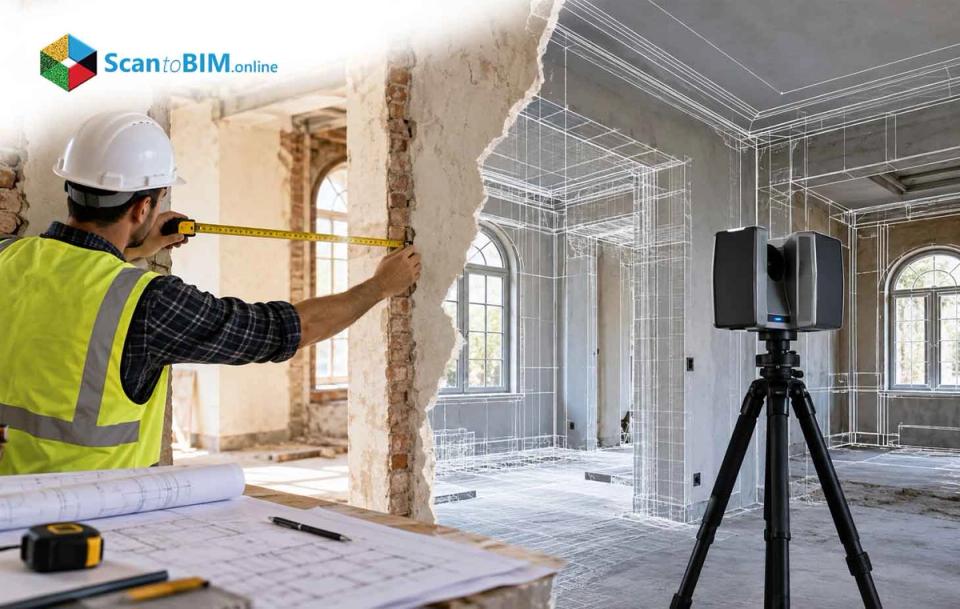
Manual measurements are the default starting point for most house remodels, and for good reason. Tape measures and handheld laser distance meters are fast, familiar, and cheap to use on site. Complex remodels involving structural changes, additions, or MEP rerouting expose a real limitation in that approach. Manual methods capture only the dimensions a technician chooses to measure, and that selective approach leaves gaps. Those gaps surface later as clashes, change orders, and rework once construction is already underway. Laser scanning services address this problem by capturing every surface of a house as measured data, giving design and construction teams a complete record instead of a partial one. Why Accurate Measurements Matter Before a House Remodel Every clash discovered on site traces back to how a house got measured before design even began. Designers draw cabinet layouts, beam placements, and duct routing against those initial numbers. When the numbers are wrong, fabricators build to incorrect dimensions, and crews discover the mismatch only after work has started. Most rework traces back to design errors, not construction mistakes. Incorrect dimensions sit at the center of that category. For a complex remodel, the existing condition survey stage becomes the foundation the entire budget rests on. Not every project needs that level of scrutiny, though. When Manual Measurements May Be Enough None of this means every remodel needs a full laser scan. Plenty of projects work fine with a tape measure and a sketchpad. Manual measurements tend to hold up for: Small, orthogonal rooms where a distometer or tape can capture straight walls without complicated angles Simple cosmetic updates like repainting, flooring swaps, or fixture replacement, where small errors will not cause a clash Standard cabinetry in rectangular kitchens built with generous scribe or filler allowances Projects that do not require formal as-built modeling or detailed existing building documentation Controlled testing has shown handheld distometer readings matching terrestrial laser scanning results within one to two millimeters. That level of agreement satisfies tolerance bands the U.S. General Services Administration sets at ±51mm or ±13mm. For a straightforward single-room refresh, residential laser scanning would be more than the job needs. Complexity changes that math fast. Why Manual Measurements Can Fall Short for Complex House Remodels Those low-risk scenarios cover plenty of projects. A remodel gets complicated fast once multi-story additions, curved staircases, sloped ceilings, and irregular historic framing enter the picture. This kind of geometry does not behave like a rectangular room, and manual methods were never built for it. A technician measuring by hand decides which walls and openings to record. Everything else in the house goes undocumented, which creates the first problem: incomplete coverage. Out-of-plumb walls and warped floors matter most when tying new work into old construction, and these details rarely make it onto a sketch. Point cloud to BIM workflows solve this by capturing every visible surface, supporting complete as-built modeling later in the process. Field notes create another risk once they move into CAD. Sketching mistakes, mislabeled dimensions, and transcription errors are common at this stage, and nobody notices until construction is underway. One study of nine industrial projects found design error contributed close to 79% of total rework cost. High-end residential work adds another layer of difficulty. Custom millwork, stone, glass, and integrated MEP systems typically need tolerances tighter than plus or minus 6mm. Manual measurement alone struggles to hold that precision across an entire house, which raises the obvious comparison. Manual Measurement vs 3D Laser Scanning Comparing the two methods side by side makes the trade-offs clear. Accuracy Coverage Manual surveys capture only the dimensions a technician chooses to record. A single laser scan captures millions of points across a 360-degree field of view in minutes. Time Manual measurement can be faster on site for small spaces. A lab comparison found distometer work took about 70 minutes with two people, while laser scanning took roughly 60 minutes with three people. But manual data took about 48 hours to convert into usable CAD drawings. Laser scan processing took closer to 120 hours to register and model. Speed on site does not always mean speed overall. For a complex remodel, the extra processing time for a laser scan to BIM deliverable usually pays for itself by cutting return site visits. How Laser Scanning Supports a Complex Home Remodel The comparison above makes the case for scanning on complex jobs. Once a house gets scanned, that data becomes the backbone of a residential scan to BIM process. This is reality capture for remodeling in practice: capturing everything once instead of measuring twice. Interior and exterior laser scanning services capture the full house as a dense point cloud. Modeling teams import that data into software like Autodesk Revit. Designers trace walls, floors, roofs and structural elements against the point cloud to build models that reflect the house as it actually exists. When Should You Consider Laser Scanning? Knowing what laser scanning can do is one thing. Knowing when to use it is the more practical question. Laser scanning for house remodels makes sense when: The project spans multiple floors, rooflines, or facades with non-orthogonal or curved geometry Structural modifications are planned and tolerances for fit-out and finishes run tight MEP systems need reconfiguring in congested spaces where clearances matter The homeowner wants long-term existing building documentation for future renovations or maintenance Research into terrestrial laser scanning for building surveys finds the technology becomes more valuable as geometry gets complex. Documenting the upper reaches of a building used to require scaffolding and weeks of manual work. Scanning captures the same information in a fraction of the time. If a remodel checks two or more boxes on that list, laser scanning for house remodels is worth serious consideration. A laser measurement survey at that stage typically costs less than the rework it prevents later, assuming the project actually needs it. Laser Scanning vs Manual Measurements: Which Should You Choose? Those triggers point toward scanning, but the decision still comes down to specifics for each project. Deciding between the two methods for home remodeling measurements comes down to four factors: project size, geometric complexity, accuracy requirements, and documentation needs. Small single-room projects with modest tolerances still favor manual measurement. Whole-house remodels or additions with irregular geometry favor laser scanning, since that coverage gap becomes too costly to leave unaddressed. Projects that require tolerances of plus or minus 6mm or tighter need the accuracy terrestrial laser scanning routinely delivers. Any project planning to use point cloud to BIM workflows needs a scan as the data source, since manual measurements cannot match that completeness. A hybrid approach can make financial sense. Manual measurement can handle small, simple rooms with generous tolerances. A laser measurement survey gets reserved for stair cores, roof spaces, and mechanical rooms, where the risk of error runs highest. This targets the investment where it actually reduces the odds of design-induced rework. Can a House Scan Be Converted Into CAD or BIM? Once a team decides to scan, the next question is what happens to the data afterward. A scan by itself is just data. Turning it into a laser scan to BIM deliverable is the next step, and yes, it can become a working model. Laser scanners output point clouds in standardized formats like LAS, LAZ or E57. Each point carries X, Y, Z coordinates along with color and intensity values. Common workflows bring that cleaned, registered data into tools like Autodesk ReCap, then into AutoCAD or Revit. Modelers trace walls, floors, and structural elements directly against the scan. One documented workflow processed scan data in Leica Cyclone, cleaned it in Autodesk ReCap then imported it into Revit. Modelers traced walls and assigned heights based on measured geometry. The resulting model carries the millimeter-level accuracy of the original scan. These residential scan to BIM models become the actual foundation for design, permitting, and construction coordination. How to Prepare for a Residential Laser Scan Before any of that modeling can happen, the scan itself has to be done well. Getting good residential laser scanning data depends on planning the survey before the scanner gets set up. A few things matter most: Access and safety Every room, staircase, basement, crawl space, and mechanical area needs to be reachable and safe for surveyors and equipment Clutter reduction Large furniture or stored equipment blocking walls and MEP components should get moved or noted ahead of time Scan positioning Locations need a clear line of sight to critical surfaces while avoiding sharp incidence angles and excessive range Reflective and transparent surfaces Glass and mirrors need special handling, since they scatter or block the laser and leave gaps in the data Overlap Scans need enough overlap between them to register into one accurate model, without wasting time on unneeded repeat passes Homeowners and contractors do not need to manage this directly. Understanding these requirements helps teams plan home remodeling measurements around a realistic schedule. Conclusion With the right preparation, scanning delivers on all of this. Manual measurements are not obsolete. They still work for simple, low-risk projects with generous tolerances. But complex house remodels involve multi-story geometry, tight fit-out tolerances, and MEP systems that need to be right the first time. Manual methods leave too much of that risk to chance. Laser scanning services close that gap by delivering complete, millimeter-accurate documentation manual methods cannot match. That is the core idea behind reality capture for remodeling: capture the full picture once, and build every decision on top of it. An existing condition survey done through scanning gives every trade and designer the same accurate starting point. For a project where getting it wrong is expensive, that difference is worth planning for from day one.

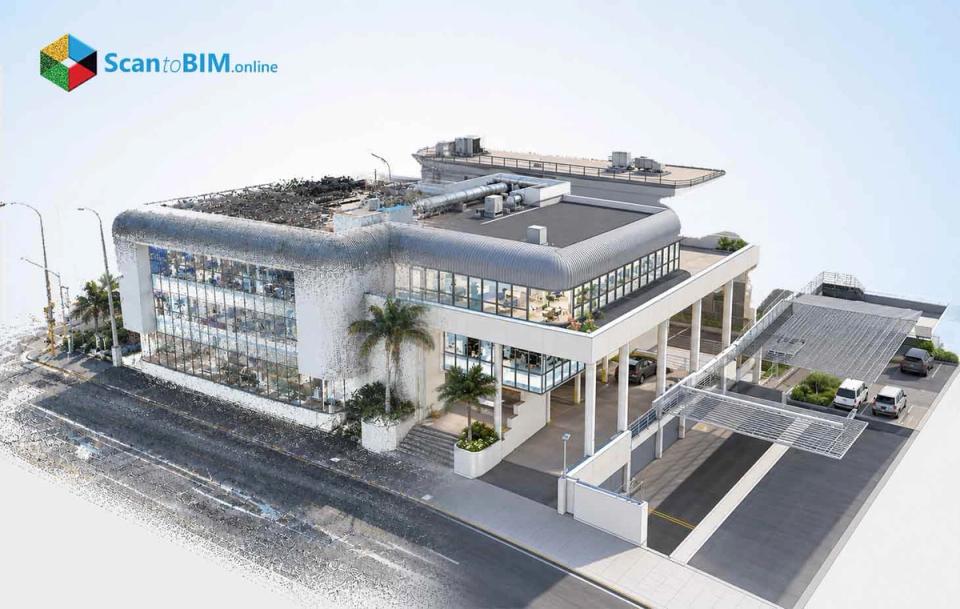
Every renovation team has opened old as-built drawings and found a missing wall or an undocumented duct. Commercial buildings go through many rounds of remodeling, handled by different contractors over different years. Paperwork almost never keeps pace with reality. Architects and engineers end up designing around assumptions. Then they find the real conditions once demolition starts. That gap between drawings and reality is where laser scanning services earn their place in a renovation project. Field crews use scanners to measure physical conditions directly, down to a few millimeters. That accuracy holds regardless of how many times a floor got remodeled. The resulting data becomes usable spatial information for design and construction teams. Reality capture services give architects, engineers, and contractors one shared, measured starting point. For firms planning commercial renovation work across the US, that starting point changes how projects get scoped and built. Why Commercial Buildings Are Challenging to Renovate Before looking at scanning itself, it helps to see why commercial renovation creates so much documentation risk. Small commercial buildings under 50,000 square feet make up about 94% of the US commercial stock by count. The National Institute of Building Sciences estimates the small commercial retrofit market near $35.6 billion. That scale shows how much renovation work depends on knowing what a building actually looks like. Owners frequently lack accurate as-built drawings for small and mid-size properties. Years of partial renovation leave documentation fragmented or outdated. Large campuses face the same problem, just at a bigger scale. Crews frequently discover walls or ductwork missing from the drawings. That discovery mid-construction slips the schedule and adds cost. Existing building modeling exists to close this gap before construction begins. Commercial interiors pack ducts, pipes, and cable trays into shallow ceiling plenums. That leaves almost no room for measurement error. ACI 117-10, the concrete tolerance standard, allows only ±13 mm on opening locations. Survey accuracy needs to land near one-third of that, roughly 3-5 mm. Manual field surveys, the tape-and-sketch approach, typically deliver only centimeter-level accuracy. That works for a simple layout sketch. It breaks down once structural, architectural, and MEP systems must align in one space. LiDAR building scanning closes that gap, capturing millimeter-level detail across a whole floor. How 3D Laser Scanning Captures Existing Conditions That mention of LiDAR scanning points to the next topic: how scanners actually gather this level of detail. It comes down to two things: how instruments measure distance, and how teams turn that measurement into a checkable standard. Technicians use time-of-flight or phase-shift LiDAR scanners to measure distance from surfaces. Each scan captures millions of points every second, building a dense point cloud. Field teams typically record 500,000 to 1,000,000 points per second with terrestrial equipment. Independent tests confirm millimeter-level accuracy at working distances of 5-20 meters. Mobile SLAM scanners work differently. Field crews walk them through a building while the system tracks its own position. That trades some precision for speed. Mobile systems can cover 100,000 to 250,000 square feet in a single day. Project teams combine these methods instead of relying on just one. Terrestrial scanning covers mechanical rooms needing LOA 30, while mobile scanning handles open corridors at LOA 20. This mix keeps laser scanning for construction practical without paying premium rates where they are not needed. From Laser Scans to Point Cloud Data: 3D Laser Scanning Workflow for Commercial Renovation That combination of methods only works if the resulting data comes together correctly. Scans start out in each instrument's own local coordinates. Teams must register them into one consolidated point cloud before anyone can use it. Field crews tie registration to a shared project coordinate system, usually State Plane or a local grid. The Massport Laser Scanning Standard requires global registration accuracy near ¼ inch, roughly 6 mm. Without that control tie, scans that look clean alone can drift apart once merged. A practical workflow for commercial renovation moves through three stages: Planning: Set the physical boundaries, the LOA band, and the LOD level before any scanning starts. Acquisition: Send terrestrial scanners to mechanical rooms and structural interfaces, and mobile units to open floors. Processing: Clean the merged cloud of stray points, then check deviation against the agreed LOA. A 200,000 square foot office building typically finishes this mixed workflow in one to three days. That speed matters for renovation scan to BIM projects working against a tight design schedule. What Can Be Captured in a Commercial Building? Once that verified point cloud exists, the next step is understanding its scope. It covers almost everything a renovation team needs to see, across a few categories. Structural frames: Beams, columns, slabs, and bracing at LOA 30 (±5 mm) or better. Architectural interiors: Walls, doors, ceilings, and stairs at LOA 20-30 (±15-5 mm). Façades and roofs: Curtain walls, masonry, and parapets, usually captured at 5-15 mm accuracy. Teams get by with LOA 20 for basic documentation. Renovation work touching structure and building services benefits from LOA 30 on key elements. Mechanical rooms and ceiling plenums need tighter control. Ducts, pipes, cable trays, and fire systems compete for the same few inches of space. Architectural renovation is typically specified at ±5 mm registered accuracy and ±10 mm represented accuracy at LOD 300. An as-built point cloud at these bands lets teams place new ductwork around what already exists. Teams then run clash detection in Navisworks or a similar platform before fabrication starts. Critical mechanical rooms can get the tightest bands, while lobbies use LOA 20 to save cost. Using Point Clouds for Scan to CAD and Scan to BIM That same as-built point cloud also becomes the foundation for two deliverables. Which one a project needs depends on how the data gets used downstream. Scan to CAD deliverables Point clouds captured at known LOA bands can be sliced into 2D as-built drawings and sections. General floor plans built from LOA 20 data work fine for space planning. Detailed tie-ins need LOD 300 geometry aligned to LOA 30 for trustworthy dimensions. A laser scan for as-built drawings replaces legacy plans that carry errors of several centimeters. Design teams get a known maximum deviation between drawing and reality, instead of guessing. Scan to BIM and point cloud to BIM modeling Scan to BIM work goes further, building parametric elements inside a BIM platform that match the cloud. Two terms drive this process, and they measure different things: LOD describes how much information an element carries. LOA describes how closely that element matches physical reality. A typical renovation spec asks for a registered cloud at ±5 mm and models within ±10 mm at LOD 300. Point cloud to BIM modeling built around these numbers gives clash detection a measurable basis. These deliverables hold up under scrutiny during construction, not just design review. A laser scan to BIM model with documented tolerances earns contractor trust before steel gets ordered. Benefits of 3D Laser Scanning for Commercial Renovation That kind of documented trust from laser scanning for renovation becomes a real business benefit once a project moves into execution. Three benefits stand out for commercial renovation work. Reduced rework and site revisits Precise existing-conditions data removes guesswork from design and construction. Field teams capture a complete dataset in one visit instead of several. Design teams revisit that dataset virtually for new questions later. A 50,000-200,000 square foot building gets documented in a few days, versus weeks of manual surveying. Quantitative accuracy and risk mitigation Numeric tolerances give renovation teams something manual surveys never offered: proof. LOA 30, at ±5 mm and 95% confidence, supports MEP coordination and clash detection. LOA 20, at ±15 mm, works for general architectural documentation. Stated tolerances let teams show a model falls within agreed limits, reducing disputes during construction. Portfolio-scale planning and energy retrofits Owners managing several properties get value beyond any single renovation. Near-term renovation targets get scanned at LOA 30. The rest of the portfolio gets documented at LOA 20. Shared LOA and LOD metrics tie cost estimates to known geometric fidelity, strengthening decisions on retrofits or adaptive reuse. Together, these benefits turn laser scanning from a documentation task into a measurable risk-reduction strategy for commercial renovation projects. How to Choose a Commercial Laser Scanning Service Provider Getting these benefits depends on who does the scanning and how they document it. Not every provider offering laser scanning services backs up its numbers the same way. Words like high accuracy or detailed are not real specifications. A provider should commit to numbers instead. For example: a registered cloud at ±5 mm accuracy, with elements modeled within ±10 mm at LOD 300. The USIBD LOA framework, from LOA 10 through LOA 50, gives both sides shared vocabulary. A laser scan to BIM service provider worth shortlisting can name which band applies to architectural, structural, and MEP systems. They should back that up with a registration report or deviation analysis. Beyond accuracy, ask about throughput and process. Terrestrial work covers smaller areas per day but delivers more detail. Ask which survey control system they use and how they check quality against USIBD LOA bands. An accuracy number without a stated range or control tie is a sales pitch, not a specification. Providers worth hiring separate measured accuracy from represented accuracy. They hand over registration residuals rather than a clean rendering alone. Conclusion Every one of these points comes back to one idea: commercial renovation depends on accurate information about existing conditions. Terrestrial scanning typically delivers 1-5 mm accuracy, supporting the LOA 30 and LOA 40 bands that tight coordination needs. Mobile scanning and photogrammetry cover broader areas at LOA 10-20, filling out the rest of a building. That range of tools makes existing building modeling practical across an entire portfolio, not just one floor. For architects, engineers, and owners specifying this work, vague language should give way to numeric LOA and LOD requirements. A registered cloud at ±5 mm and a model at LOD 300 with ±10 mm accuracy are reasonable benchmarks. ±15 mm coverage works fine for general documentation needs. Pair those numbers with a clear scope, a survey control tie, and real QC procedures. Then laser scanning for construction becomes a dependable part of how commercial renovation gets planned and built.

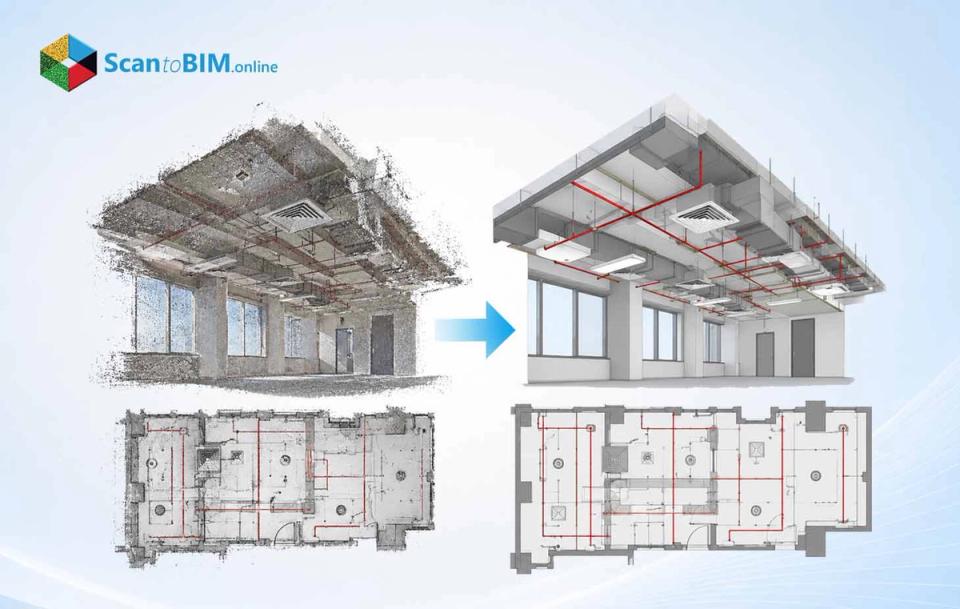
Outdated as-built drawings cost AEC firms real money. Field crews discover walls that moved, ducts that were never documented, and structural elements that don't match the original design. These gaps surface during demolition, mid-renovation, or worse, during construction bidding. Teams then scramble to verify conditions manually, adding weeks to schedules and inflating costs on projects that were already tight. RCP to Revit conversion solves this problem at the source. Laser scanners capture existing conditions with survey-grade precision. That data becomes the foundation for a Revit model reflecting real conditions not decades-old drawings. For firms managing renovation, retrofit, or facilities documentation, this workflow removes the guesswork that traditional 2D redlines can't fix. What Is RCP to Revit Conversion? RCP to Revit conversion turns raw laser scan data into Autodesk ReCap project files. Those files then link into Revit for modeling existing conditions. Autodesk's RCP format works as a lightweight container. It references one or more RCS scan files. It also stores registration transforms, clipping regions, and display settings. Revit imports RCP and RCS directly and becomes a read only reference layer. Modelers then build the as-built Revit model on top of it. Before reaching Revit, raw formats like E57, LAS/LAZ, and PTS get indexed into RCP/RCS using ReCap Pro. This step applies spatial indexing, colorization, and noise filtering. The output is a dataset optimized for point cloud to BIM work across Revit, AutoCAD, and Navisworks. RCP to Revit conversion, then, isn't just a file swap. It describes the entire pipeline that turns scan data into something a modeling team can use for as-built work. How RCP Data Is Used in Revit Once the RCP is linked, Revit treats it as a reference rather than editable geometry. Designers see a dense field of points in model space. They snap to those points to trace walls, floors, and structural elements. Native Revit elements get built by tracing what the scan shows. Section boxes, view ranges, and visibility settings let modelers isolate one floor or zone at a time. This keeps point cloud Revit modeling manageable, even on projects covering an entire building. Positioning matters just as much as visibility. RCP data typically gets placed using one of three methods: Origin to Origin for local alignment, Center to Center for quick visualization, or By Shared Coordinates for survey-based alignment. When scans have been registered to a survey coordinate system, shared coordinates keep the as-built Revit model consistent with other discipline models. Matching ReCap's registration basis to Revit's project base point avoids the ad hoc repositioning that breaks multi-discipline coordination. RCP references support several practical tasks: Establishing levels and grids from actual floor elevations Verifying existing walls, openings, slabs, and roofs against real geometry Supporting point cloud RCP to Revit workflows for MEP routing and clash detection in renovation work Many teams keep the RCP linked throughout design and coordination, not just during initial modeling. This lets them cross-check geometry as decisions get made. Some deliverables even include the point cloud alongside the finished Revit model, so future retrofit teams can revisit the original scan data. Step-by-Step RCP to Revit Conversion Workflow A dependable laser scan to Revit workflow follows a clear sequence, and skipping steps is where most point cloud to BIM projects run into trouble. Each stage feeds into the next, and quality at one stage determines how much rework happens later. Reality capture Field teams scan the building using terrestrial laser scanners or mobile LiDAR, targeting structural cores, ceiling voids and hard-to-reach zones based on project scope. Registration and cleaning Software aligns individual scans into one coordinate framework, then teams remove noise, temporary objects and scanner artifacts so the cloud reflects permanent geometry only. Indexing to RCP/RCS ReCap converts raw formats like E57 or LAS into RCP/RCS and apply spatial indexing and compression that can shrink file sizes by 50 to 90 percent. Revit project setup The team establishes coordinate systems, levels and grids that will anchor the model before the point cloud even gets linked. Linking the RCP The point cloud loads into the Revit project and the team checks known dimensions on site to confirm scale and placement are accurate. Reference-based modeling Modelers trace walls, floors, roofs and MEP elements by snapping to visible points, working discipline by discipline. Model-to-cloud QA The finished as-built Revit model gets checked against the source cloud for deviations, with documentation of any occluded or uncertain areas. Getting registration right early pays off later. Scan to BIM research literature reports registration accuracy within a few millimeters when control points are used properly, which keeps every downstream step honest. What Can Be Modeled from RCP Point Clouds? With a solid workflow in place, the next question firms ask is how much of a building can actually be modeled from the scan. The answer depends on scan coverage, point density, and what surfaces were visible to the scanner. Architectural elements typically modeled include: External and internal walls at actual thickness and alignment Floors, slabs, and roofs including pitched and curved forms Doors, windows and openings positioned at real sill and head heights Structural elements that come through well include: Columns and beams with actual alignment and eccentricities captured Load-bearing walls and shear elements Foundations and footings where exposed MEP systems present more of a challenge since scanners can't see through walls or above finished ceilings. Still, point cloud to Revit modeling commonly captures main HVAC ducts and branches, visible piping for chilled water and fire protection and cable trays with major equipment such as AHUs and panels. RCP to Revit for As-Built Documentation That same modeling scope discipline applies directly to as-built documentation, which is really the end goal of the entire process. This workflow has become the standard method for producing documentation that reflects a building's true condition instead of its original design intent. Industry guidance on as-built documentation points to 3D laser scanning as the gold standard for capturing existing conditions, with professional equipment reaching accuracy in the range of plus or minus 2 to 4 millimeters. When combined with point cloud to Revit workflows, this precision supports reliable modeling of walls, floors, MEP systems, and site features, whether the deliverable feeds design, construction verification, or facilities management. As-built documentation isn't one file type. It usually includes: The as-built Revit model, with parametric elements editable by design teams CAD drawings and IFC exports for stakeholders using other software The registered point cloud itself, delivered for future reference RCP to Revit for Renovation and Retrofit Projects Renovation and retrofit projects benefit most from this level of documentation, since existing buildings frequently drift from their original drawings after years of undocumented changes. Scan to BIM for renovation replaces guesswork with measured reality and helps design teams plan interventions with actual dimensions instead of assumptions. For architectural renovation work such as interior refits or facade upgrades, converting point cloud RCP to Revit data gives designers a precise reference for ceiling heights, structural spans and available space. Teams can then explore design options while understanding exactly how new work interacts with existing structure, cutting down on conflicts discovered mid-construction. MEP retrofit work, such as HVAC replacement or fire protection upgrades, depends even more heavily on accurate as-built information. Congested ceiling voids and mechanical rooms hide most of the risk in these projects. Scanning these spaces and building coordinated models across architecture, structure, and MEP disciplines supports clash detection before construction starts, not after. Progressive retrofit projects add another layer of value. Teams scan at multiple project milestones, documenting both existing and newly installed elements. This builds a running record that future renovation teams can trust. For owners, the real return on laser scan to Revit investment shows up later: fewer surprises, smoother construction sequencing, and dependable data for facility operations for years afterward. Best Practices for Reliable As-Built Revit Models Getting consistent results across projects means codifying a few practices rather than leaving quality to individual modelers. Published research and field guides on scan to BIM for as-built modeling services point to the same handful of priorities. Define scope, LOA, and LOD before scanning starts: Project areas to document, by floor or zone Target Level of Accuracy such as LOA 20, 30 or 40 Required Level of Development for each discipline Control coordinates and registration carefully: Align ReCap projects to known reference points not default settings Verify registration accuracy at multiple locations before modeling begins Match Revit's shared coordinates to the scan's original coordinate basis Structure the point cloud for usability: Organize RCP data by floor or zone to reduce clutter Clip to project extents and remove irrelevant objects Deliver both an archival E57 file and a modeling-focused RCP Build modeling standards teams can reuse: Standard family libraries for common architectural, structural and MEP elements LOD matrices by element category so effort matches importance View templates and color filters suited to dense point cloud Revit modeling Consistent standards like these keep RCP Revit modeling repeatable across project teams. Finally, run QA against the source cloud before calling the model finished with visual checks, dimension comparisons and a written report on achieved accuracy. Embedding this level of QA into RCP to BIM services builds trust with clients who depend on the model for years. How to Choose an RCP to Revit Service Provider Once a firm knows what good looks like internally, evaluating an outside provider becomes far more straightforward. The same standards used for in-house QA apply directly to vendor selection. Capture technology and field expertise Ask about equipment accuracy, typically plus or minus 2 to 4 millimeters for professional terrestrial scanners, and whether the provider can combine TLS with photogrammetry or drone data for complex sites. Point cloud processing and RCP delivery Providers should handle registration, cleaning, and indexing as a structured process, not an afterthought and deliver RCP alongside archival formats so nothing gets lost. Revit point cloud modeling knowledge This includes performance considerations for large files, correct linking and positioning practices and familiarity with managing multiple point cloud references on one project. Documented standards for LOD, LOA and QA Ask providers how they define and measure LOA 30 or LOD 300 in practice and request sample QA reports showing typical deviation results. Communication and long-term support Good as-built modeling services come with clear reports on capture methods, coordinate systems, and modeling assumptions, plus willingness to support iterative review with design and construction teams. Firms that vet providers against these criteria, rather than marketing claims alone, tend to get RCP to BIM services that hold up through construction and beyond. The provider becomes a long-term data partner, not a one-time vendor. Conclusion Well-defined workflows separate reliable as-built documentation from expensive guesswork. Firms that invest in structured capture, registration, indexing, and QA get Revit models that hold up under scrutiny, whether for design coordination, permitting, or facility operations years later. A structural study of the Baelo Claudia basilica in Spain used point-cloud-based as-built models to run finite element analysis comparing real deformed geometry against idealized drawings, showing how far laser scan to Revit approaches can extend beyond routine documentation. The practical takeaway is simple. Build workflows around documented LOA and LOD standards, choose providers who can prove their process rather than describe it, and keep the point cloud linked so future teams can verify assumptions. For firms managing renovation, retrofit, or facilities documentation, that discipline turns Scan to BIM for renovation from a one-off exercise into a repeatable capability that pays off on every project after the first.

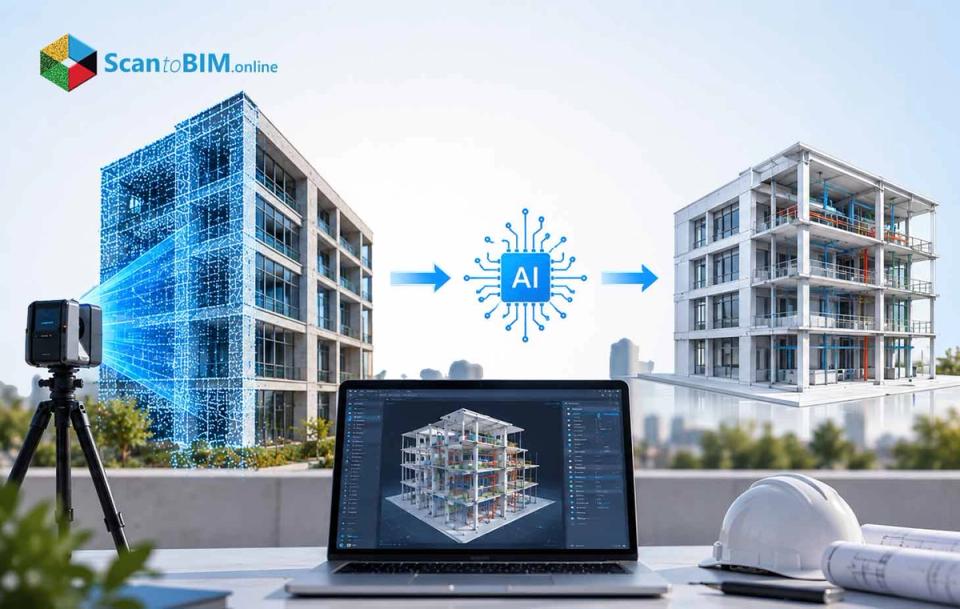
Construction teams across the US are adopting AI for scheduling, risk forecasting, and progress tracking. Many of these tools produce confident answers that do not match what is happening on site. The issue is usually not the AI model. The issue is the data behind it. Historical schedules and design drawings describe intent, not current conditions. Existing buildings diverge from their record drawings after years of undocumented changes. Renovation and infrastructure teams feel this gap the most, since incomplete documentation raises risk at every planning stage. Scan to BIM closes this gap. It converts measured site conditions into structured, spatially accurate model data that AI systems can classify and learn from. For hospitals, data centers, and industrial facilities, this connection decides whether AI recommendations can be trusted. What Is AI-Driven Construction Planning? Traditional planning relies on work breakdown structures, duration estimates, and critical path scheduling. Planners build these manually and update them from field reports. This method still works, but it struggles with the sheer number of variables on a large project. AI extends this practice rather than replacing it. Depending on the task, an AI system may perform: Descriptive analysis - Identifying what has been installed and where Diagnostic analysis - Finding probable causes of delays or clashes Predictive analysis - Estimating the probability of delay or cost growth Prescriptive analysis - Recommending alternative sequences or crew allocations Generative assistance - Drafting look-ahead plans or summarizing coordination issues Why Accurate BIM Data Matters for AI That data-cost figure explains why BIM for construction planning needs accurate inputs before AI adds any value. AI does not correct unreliable information on its own. A model with misplaced objects or outdated geometry produces answers that sound confident but are wrong. The calculation of a crane reach requires reliable dimensions.A clash prioritisation model must take into account system type and clearance requirements, not just intersecting geometry. Here accuracy is multidimensional: Geometric accuracy is the degree to which elements match measured position and orientation Completeness ensures required space and systems are captured Semantic correctness checks that objects are of the right classes and of the right system Topological correctness checks that connections and adjacencies are modelled correctly Temporal currency means a known date of capture. Traceability links items back to source scans and revisions These dimensions only matter if the capture process feeding them is disciplined. How Scan to BIM and AI Work Together Scan to BIM and AI support each other in two directions. AI can automate parts of the modeling workflow itself. The resulting model then becomes an input for construction-planning AI further downstream. In an AI-powered scan to BIM workflow, computer vision classifies point cloud regions and suggests matching BIM families. Human modelers then review conditions the software cannot resolve safely. Research shows real progress here. One structural digital-twin study reported 89 percent identification accuracy. A bridge study reported 88.45 percent mean segmentation accuracy before parametric modeling began. Once validated, the model becomes AI-readable evidence of the jobsite. Repeated capture over time supports programs that track a building continuously, since Digital Twin construction depends on ongoing updates, not a single snapshot. This creates a loop: capture reality, build the model, run AI analysis, review, execute, then capture again. Scan to BIM Workflow for AI-Ready Construction Data Building that loop starts with defining what the model needs to support before any scanning begins, since this is what makes BIM for construction planning genuinely useful downstream. Possible uses include MEP coordination, sequencing, progress monitoring, or digital-twin initialization. A disciplined workflow for scan to BIM automation generally follows these steps: Specify information requirements - Coordinate systems, object classes, accuracy targets, and naming conventions Plan and conduct reality capture - Select terrestrial scanners, mobile mapping, or drones based on site conditions Register and preprocess data - Align scans, remove noise, and preserve the raw source files Segment and classify point clouds - Apply deep learning to separate walls, ducts, pipes, and equipment Reconstruct BIM objects - Convert classified data into parametric or surface-based elements Enrich model semantics - Add classification codes, system data, and connectivity information Validate and approve - Check registration, coverage, and attribute completeness before release Publish controlled data - Move approved models into a shared environment with revision control The National BIM Standard-United States Version 4 gives scan to BIM in USA projects a consensus framework for defining these requirements contractually. IFC 4.3, published as an ISO standard in 2024, extends open data exchange into roads, bridges, and other infrastructure types. This step alone does not produce a scan to BIM for digital twin program, but it builds the geometric foundation such programs require. Point cloud to BIM services become genuinely useful for AI when this workflow treats classification and metadata as seriously as geometry. A model built this way is ready for the analysis stage that follows. How AI Can Analyze BIM and Reality-Capture Data With a validated model in place, AI can analyze construction reality capture data at several levels at once. Geometric analysis measures distances, clearances, and deviations between planned and observed conditions. Semantic analysis tells the system what an object represents because a pipe and a cable tray can look similar but follow different rules. Relational analysis considers adjacency and connectivity. It confirms if an equipment route goes through a narrow door or if a shutdown affects assets that are interconnected. Temporal analysis compares scans from different dates, and correlates installed status with scheduled activities. AI becomes more useful still when this geometric data connects with schedules, cost codes, daily reports, and procurement records. The model supplies the spatial index, while other project data attaches to specific rooms, systems, or work packages. This layered analysis is exactly what makes AI-powered clash detection more precise than older, geometry-only methods. AI-Powered Clash Detection and Coordination Traditional clash detection applies geometric rules to federated models and flags every intersection, including many that do not matter. AI changes this process in four ways. Prioritizes clashes by likely cost, schedule impact, and fabrication status Groups related clashes into a single root-cause issue instead of many duplicates Recommends resolution strategies based on system hierarchy and project rules Compares design intent against physical reality, not just design against design That comparison depends entirely on construction reality capture. Design-to-design clash detection cannot reveal that an existing beam is positioned outside its documented location. Overlaying design models with registered point clouds exposes these conditions before installation begins. LOD 350 is particularly relevant here, since it includes measurable interfaces with adjacent elements, which supports clash resolution around supports and penetrations. For hospitals, laboratories, and data centers, this reality-based coordination matters because live systems and tight installation windows raise the cost of any mistake. Clash detection is one output of this data. The same reality-based model also feeds risk and schedule forecasting, which is where AI construction planning shows its broadest impact. AI for Construction Risk and Schedule Analysis Clash detection protects individual installations, but schedule and risk models protect the project timeline as a whole. AI schedule analysis uses project data to estimate durations, detect abnormal trends and predict delay probability. A 4D workflow links BIM objects to schedule activities. Periodic reality capture then lets algorithms estimate which objects are present, partially complete, or displaced, and compares that status against the baseline schedule. This helps answer practical questions: Is a zone complete enough for the next trade to begin? Are predecessor activities advancing at the assumed rate? Which work packages are likely to miss their handoff dates? Where are material or access constraints building up around critical work? Reported results vary by dataset and project type. A 2026 study using real time data from 68 projects reported 95.56 percent accuracy for a hybrid delay prediction model. A separate study reported 74.07 percent accuracy for its best model. That shows how much performance depends on context. These forecasting and safety gains lead directly to the broader business case for adopting this approach on US projects. Benefits of Scan to BIM for U.S. Construction Projects That business case becomes concrete once the gains are broken down by project type, showing exactly where BIM for construction planning pays for itself. The value shows up across several areas at once: Better renovation planning: Measured geometry replaces incomplete or obsolete record drawings More reliable coordination: Reality-based models catch conflicts between new design and existing conditions early Objective progress evidence: Time-stamped construction reality capture supplements subjective percentage-complete reporting Improved prefabrication confidence: Dependable interface dimensions support piping spools and facade panels Stronger schedule forecasting: Observed production feeds forecasting models instead of assumptions alone Safer logistics planning: Reality-based models represent access routes and laydown areas before crews mobilize Scan to BIM projects in USA deliver the most value in occupied buildings, hospitals, airports, and industrial facilities, where hidden conditions and limited access can lead to expensive field changes. These are also the project types where the data-cost figures cited earlier hit hardest. These benefits assume the underlying workflow is done well. The next section looks honestly at where the approach still runs into real limits. Challenges and Limitations of AI-Powered Scan to BIM Those limits start with a basic fact about the technology. A point cloud captures visible surfaces, not everything inside a wall or behind a ceiling. Concealed reinforcement, hidden systems, and inaccessible areas may still require drawings, inspection openings, or sensors. Several other constraints apply in practice: Occlusion from workers, materials, and scaffolding blocks the scanner's view on active sites. Scan to BIM automation still struggles with irregular geometry, unusual object types, and scene complexity. Labeled training data remains expensive to create and may not reflect US project conditions. Interoperability between BIM tools, point cloud platforms, and AI pipelines can still lose information. Large datasets require meaningful storage, processing time, and network capacity. Excess modeling detail can add cost without improving planning outcomes. AI output is decision support, not a professional determination on its own. Digital Twin construction adds another layer of complexity, since governance and update frequency both need clear ownership. Reality capture data can reveal secure rooms or operational systems, which raises real questions about permissions and retention. A 2024 review of deep learning for construction point clouds found that performance remained limited for several tasks, particularly segmentation accuracy, and identified generalization and data availability as ongoing issues. None of this argues against the approach. It argues for treating AI recommendations as inputs to professional judgment, not replacements for it. With that caveat in place, it is worth looking at where this combination is headed next. The Future of AI-Driven Construction Planning AI-powered scan to BIM will increasingly use foundation models trained on larger collections of three-dimensional data, reducing the need to train a new classifier for every object category. Multimodal AI will combine point clouds, BIM, drawings, and schedules into a single reasoning layer. A planning assistant could identify a progress anomaly geometrically, then retrieve the related activity automatically. Graph-based BIM intelligence is also gaining ground, since buildings are relational systems where pipes connect to equipment and activities depend on predecessor work. Scan to BIM for digital twin programs will likely extend further into infrastructure, supported by IFC 4.3's coverage of roads and bridges. Human-in-the-loop review will remain the most credible model for now. Conclusion Scan to BIM gives AI-driven construction planning something it cannot generate on its own: a measured, current picture of what actually exists on site. Point clouds supply dense geometric detail, while the resulting model adds classification, relationships, and links to schedule data. The value is strongest on renovation, healthcare, industrial, and infrastructure projects, where undocumented changes and limited access raise the cost of every mistake. Getting there requires more than buying a scanner or subscribing to an AI platform. Teams need defined information requirements, disciplined capture, careful validation, and professionals who review results before they reach the field. The strongest version of this process is a loop: measure the site, structure the data, analyze it, get professional approval, build, then measure again. That loop is what makes AI recommendations worth trusting on a US construction project.
Case StudyScan to CAD as-built drawings for a luxury residence in San Francisco, delivering precise architectural, structural, and MEP documentation from point cloud data.
Case StudyLarge educational campuses produce huge quantities of point cloud data. The goal for this 200,000 sq.ft. educational institution was to develop an LOD 300 architectural BIM model. With an AI-assisted workflow and quality assurance tools, the project was completed in 28 days.
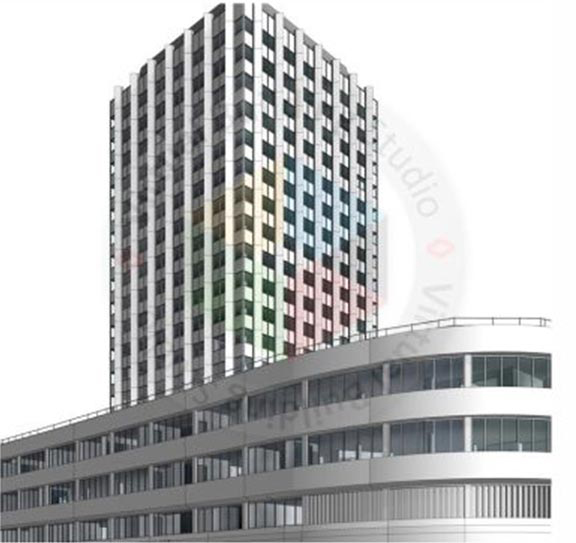 Case Study
We converted point cloud data into structural and architectural BIM models for this 400,000 sq.ft. commercial project, within a 1'4" tolerance. Proprietary AI and automated QA workflows reduced human error and kept validation consistent across a 43-day schedule.
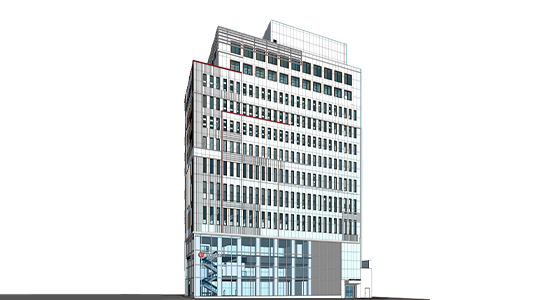 Case Study
This project transformed raw laser scans into a comprehensive LOD 300 BIM model for a 70,000 sq. ft. residential apartment. Architectural, structural, and MEPF disciplines were integrated into a high-fidelity digital twin for facility management and future design.
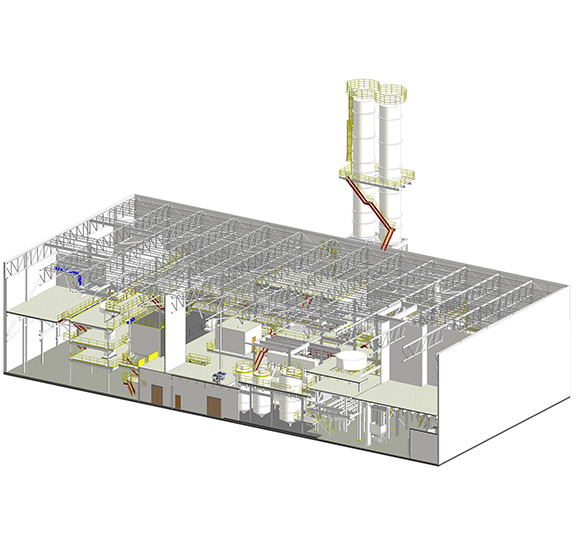 Case Study
This project developed an LOD 300 as-built Revit model for a 90,000 sq.ft. industrial facility in Texas. Architectural, structural, and mechanical elements were coordinated into one model for renovation planning, facility upgrades, and long-term maintenance.
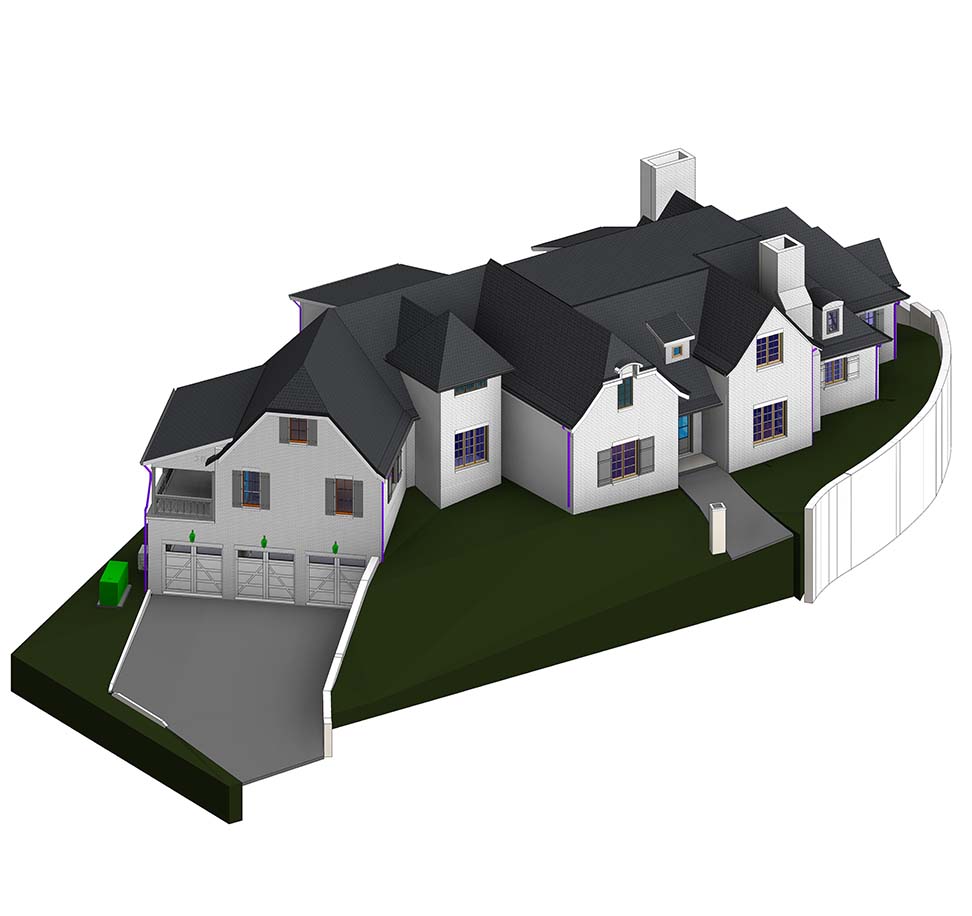 Case Study
We transformed point cloud data into precise 3D as-built models for a 10,500 sq. ft. residential house, capturing architectural, structural, and MEPF elements. Plans, sections, and elevations stayed consistent within the 8-day project timeline.
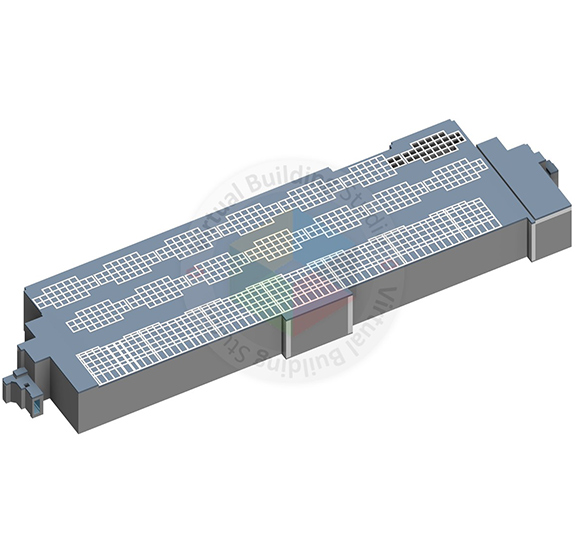 Case Study
For this 150,000 sq. ft. healthcare facility in California, we developed an Architectural Revit model. The project was completed in 23 days using AI-assisted workflows and automatic quality assurance, at a 1 inch tolerance and LOD 300.
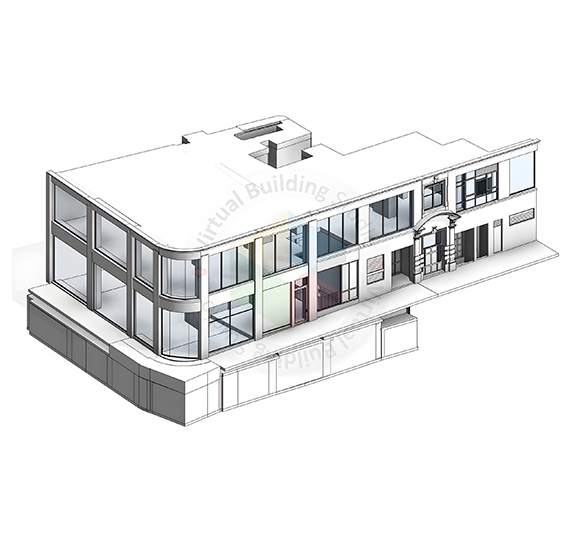 Case Study
This 90,000 sq. ft. commercial project in the USA required full Scan to BIM conversion, including Architecture and Structure at LOD 300. Working as BIM Consultant, the team finished in 17 days, with internal AI and QA tools keeping accuracy high.
For decades, BIM and GIS have handled different parts of the built environment. Building data stayed in CAD and BIM systems, while geographic data stayed in GIS. Connecting the two has remained difficult, even as organizations increasingly need both. This webinar looks at how that separation developed and where the industry stands today. Juan B. Plaza draws on his work with Autodesk, Trimble, GIS, and photogrammetry to examine the history of BIM and why CAD and GIS will need to work together more closely. What You'll Learn Why Autodesk introduced BIM and how the concept developed. How early teams tried to connect GIS with CAD. Where those early integration efforts ran into problems. Why BIM and GIS now need to work together. What a connected CAD and GIS future could mean for digital twins.
How much should you expect to pay for a Scan to BIM project, and how long will it take? The answer depends on more than the size of your building. LOD, modeling scope, disciplines, point cloud quality, and delivery requirements can all affect cost and timelines. In this live session, Chirag Sharma, Production Delivery Head at ScantoBIM.Online, will walk through a real project and show how these factors shape both. You will also see the Scan to BIM Project Estimator tool in action: from entering project requirements to generating an estimated project cost and delivery timeline. The session offers a practical look at how production teams assess Scan to BIM projects before preparing a quotation. What You'll Learn Get a practical view of the factors that influence Scan to BIM estimates and delivery schedules. You’ll learn: What factors influence Scan to BIM project cost How project size and building type affect the estimate How LOD and modeling scope affect project effort How architectural, structural, and MEP requirements affect pricing Why point cloud quality and project data matter How production teams estimate delivery timelines How changing project requirements can change the estimate How our Scan to BIM Instant Quote Tool works with a live project example


Reality capture projects can fall behind before fieldwork even begins. Choosing the wrong surveying method leads to extra site visits, missed deadlines, and costly rework. Many teams struggle to balance speed and accuracy because every project has different requirements. This webinar explains when traditional laser scanning works best, where SLAM-based mobile mapping delivers better results, and how both technologies can work together. You will also see a real project example and learn a practical decision-making framework for selecting the right capture method before mobilizing your survey crew. What You'll Learn Gain practical insights to choose the right reality capture technology, improve field productivity, and reduce avoidable rework. ✅ Understand the Reality Capture Tradeoff Learn why no single reality capture method fits every project and what factors influence the right choice. ✅ Laser Scanning vs. SLAM-Based Mobile Mapping Compare both technologies based on accuracy, speed, site conditions, and project requirements. ✅ Choose the Right Tool Before Fieldwork Follow a practical framework to select the best surveying approach before mobilizing your team. ✅ Reduce Rework Through Better Planning Identify common mistakes that lead to repeat site visits and learn how to prevent them. ✅ Real Project Walkthrough See how an occupied site survey was completed in half a day instead of five days while meeting required tolerances. ✅ QA/QC for Reliable Survey Results Understand how validation workflows help verify data quality and maintain confidence in project deliverables.



Accurate as-built documentation is the backbone of every successful construction project. Yet gaps between existing conditions and design intent continue to cause costly rework, delays, and miscommunication across teams. In this one-hour webinar, we bring together scanning experts to show you exactly how laser scanning technology is being applied on real-world construction projects today. From verifying existing conditions before work begins to confirming installations match design specifications, you'll walk away with practical knowledge you can apply immediately and the confidence to choose the right scanning method for every situation. What You Will Learn Whether you're new to laser scanning or looking to expand how your team uses scan data, this session covers the full spectrum, from capture to deliverable. Select the Right Scanning Method for Every Job: Understand the key differences between terrestrial LiDAR, SLAM LiDAR, and 3D Gaussian Splats and know when to use each one based on accuracy requirements, project timelines, and deliverable type. Verify Existing Conditions & Design Intent: Discover how scan data is used as a quality control overlay, allowing teams to compare existing field conditions against design models and catch discrepancies before they become expensive problems. Improve As-Built BIM Models: Learn how different capture methods feed into the creation of reliable, highly accurate BIM models across a range of building elements and project phases. Collaborate Across Project Teams: Get practical guidance on how to communicate and share scan data effectively with Owners, Designers, and Contractors so everyone is working from the same ground truth.


Reality capture has traditionally been viewed as complex, expensive, and dependent on highly specialized teams. Today, that barrier is rapidly disappearing. With modern tools like Cupix, architects, engineers, and construction professionals can capture site reality faster, easier, and with far less friction than ever before. This webinar is designed for decision-makers who want to understand how reality capture can be democratized, without sacrificing accuracy, usability, or downstream Scan to BIM outcomes. What This Webinar Will Cover How easy reality capture really is today Learn how you can capture immersive virtual tours and 3D point clouds without extensive training or heavy equipment, and what that means for faster site documentation. Real-world examples with Cupix See what project teams across the AEC industry have already accomplished using Cupix; from construction tracking to reliable as-built data for BIM workflows. Where Cupix fits in a Scan to BIM workflow Understand the value of Cupix as a complementary layer in your Scan to BIM solution, helping teams bridge the gap between site reality and accurate BIM deliverables.


In today’s competitive market, accurate scan-to-BIM results alone aren’t enough—a clear, compelling presentation of is key to winning over clients, collaborators, and decision-makers. Join ScanToBIM.Online and NUBIGON for a practical session on turning complex project assets into powerful dynamic visuals communicating value at a glance. Bert Azizoglu, CEO of NUBIGON Inc., will demonstrate how AEC professionals can present point clouds alongside CAD and BIM models in a visually engaging way. Whether you’re preparing a client pitch or producing marketing content, you’ll discover how to turn raw data into spatial insight that builds understanding—and earns approval. Key Takeaways ✅ Present with Confidence – Seamlessly combine point clouds and BIM models with unique displays. ✅ Bring Deliverables to Life – Use dynamic animations to showcase project scope, quality, and progress. ✅ Work Smarter with NUBIGON – Create polished visuals for client presentations, proposals, and marketing campaigns.


Scan-to-BIM has evolved, and integrating 360° camera technology can be a game-changer. Join ScanToBIM.Online, and Cupix, for an exclusive webinar where we explore how 360° virtual tours can seamlessly generate point cloud data to enhance project efficiency. Chuck Pfeffer, VP of Marketing at Cupix, will share how surveyors and AEC professionals can leverage 360° imaging for pre-bid assessments, spatial documentation, and LOD 100-350 deliverables with minimal disruption. Whether you’re an architect, surveyor, or BIM expert, this session will provide actionable insights to optimize your workflow and stay ahead in the AEC industry. Key Takeaways 360° Cameras in Scan-to-BIM – Explore ideal use cases for seamless integration. Point Clouds from 360° Tours – Convert images into BIM-ready data effortlessly. ScanToBIM.Online Overview – Learn how it delivers high-quality BIM models efficiently.
WalkthroughWalkthrough Walkthrough
 Walkthrough
 Walkthrough
 Walkthrough
 Walkthrough
 Walkthrough
Lorem Ipsum is simply dummy text of the printing and typesetting industry.
Lorem Ipsum is simply dummy text of the printing and typesetting industry. Lorem Ipsum has been the industry's standard dummy text ever since 1966, when designers at Letraset and James
Frequently Asked Questions
Our scan to BIM services include complete point cloud processing, LOD-based architectural, structural, and MEPF modeling, clash-ready coordination models, and delivery in required formats such as RVT, IFC, and DWG. Each scan to BIM conversion undergoes structured quality validation to ensure accuracy, alignment, and project-specific compliance.
Contact Us
Let’s discuss your requirements and see how our expertise can help on your next project.