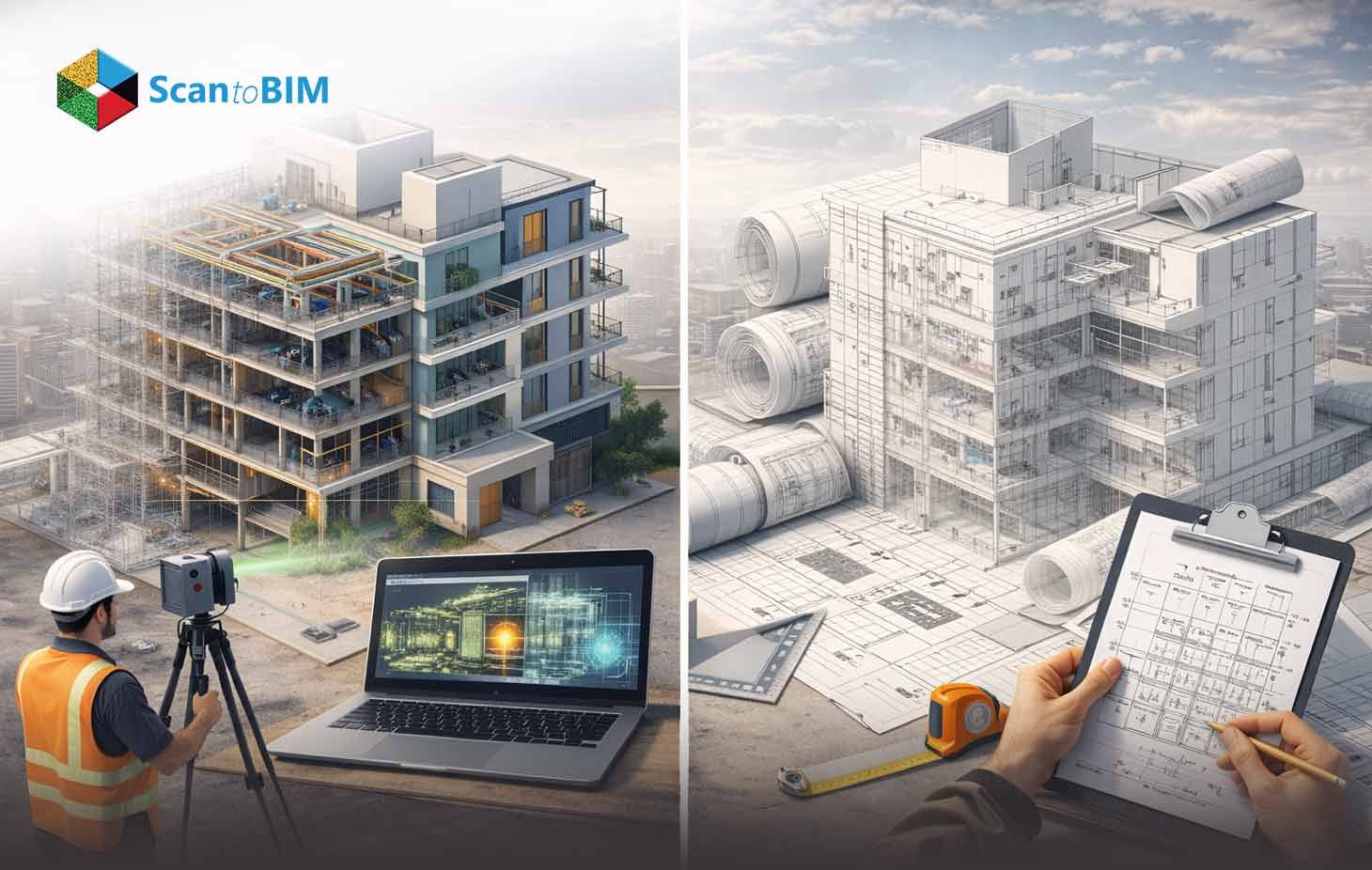
Construction documentation extends beyond design intent and shop fabrication packages. At project closeout, the final deliverable must represent the exactly constructed condition including dimensional shifts, routing adjustments, elevation changes, and installed asset data. This documentation becomes the technical reference for renovation modeling, facility upgrades, compliance audits and asset lifecycle tracking.
Traditional as-built drawings capture the completed structure in 2D format using updated files which are derived from contractor redlines and field verification notes. These drawings record final dimensions, system routing paths, material substitutions, and equipment tags. They function as contractual records and support maintenance referencing, yet their data remains annotation-based rather than object-driven.
As-Built BIM represents the same completed condition within a parametric 3D environment. Geometry is modeled against verified site conditions, often aligned with point cloud datasets. Building elements contain embedded parameters such as manufacturer data, installation dates, warranty duration, asset classification, and spatial relationships. The model becomes queryable rather than visually interpreted.
For BIM professionals the comparison is technical. The decision between As-Built BIM and traditional as-built drawings affects geometric tolerance control, metadata accessibility, coordination validation, FM integration, and long-term renovation readiness. This article examines those measurable differences with feature-focused clarity.
Why As-Built Documentation Matters in Renovation Projects
Renovation and retrofit projects expose documentation gaps much faster than new construction. Teams work with existing geometry that may include undocumented offsets, rerouted services, revised slab openings and elevation shifts. Many facilities lack updated digital records, and existing building documentation often does not reflect site modifications. In this context the accuracy and completeness of documentation directly influence retrofit planning, coordination strategy, and construction predictability.
In many renovation scenarios:
- Original CAD files are unavailable or archived in outdated formats
- Drawings produced 10–15 years ago in AutoCAD are inaccessible or incompatible
- Field changes were not incorporated into final record drawings
- Paper markups were never digitized
- Material substitutions were recorded only in site logs
- Equipment relocation was not reflected in final documentation
When documentation lacks verification depth, renovation teams face operational uncertainty. Spatial assumptions must be validated through additional surveys, and coordination planning becomes reactive. Hidden system deviations influence structural interventions, MEP rerouting, and vertical expansion feasibility. Incomplete records increase complexity during compliance reviews and sustainability audits, particularly when asset traceability and system performance data are required.
Common impacts of insufficient As-Built documentation include:
- Destructive investigation to confirm concealed conditions
- Unexpected utility conflicts during demolition or installation
- Budget overruns driven by late-stage discoveries
- Schedule extensions caused by re-coordination
- Compliance review delays
- Increased survey dependency before modeling upgrades
- Rework during MEP modernization or structural modification
Data-rich Documentation deliverables whether in validated 2D or model-based formats, provide verified wall dimensions, slab elevations, structural member locations. Along with the exact MEP routing, valve and damper positions, access clearances, and updated grade conditions. Renovation success depends on how accurately this dataset reflects the built reality, which directly frames the distinction between traditional record drawings and As-Built modeling.
Transform your existing building data into highly accurate BIM models with our AI-powered as-built modeling services complete with automated QC for dependable, coordination-ready results.
What Are Traditional As-Built Drawings?
What Defines As-Built Drawings?
These drawings are finalized 2D documents prepared at project closeout to represent the actual installed condition of a building. They record constructed geometry rather than original design intent and are developed from contractor redlines, field verification, and approved change documentation. Often referred to as record drawings or as-constructed drawings, they form the official graphical record of completed work.
Under American Institute of Architects AIA A201 (2017) contractors maintain records of work as constructed which serve as the foundation for final as-built documentation.
Key defining characteristics:
- Produced at project closeout
- Based on redline markups and field measurements
- Delivered primarily as 2D CAD DWG or PDF sheets
- Reflect final geometry
- Document deviations
What Information Is Embedded in As-Built Drawings?
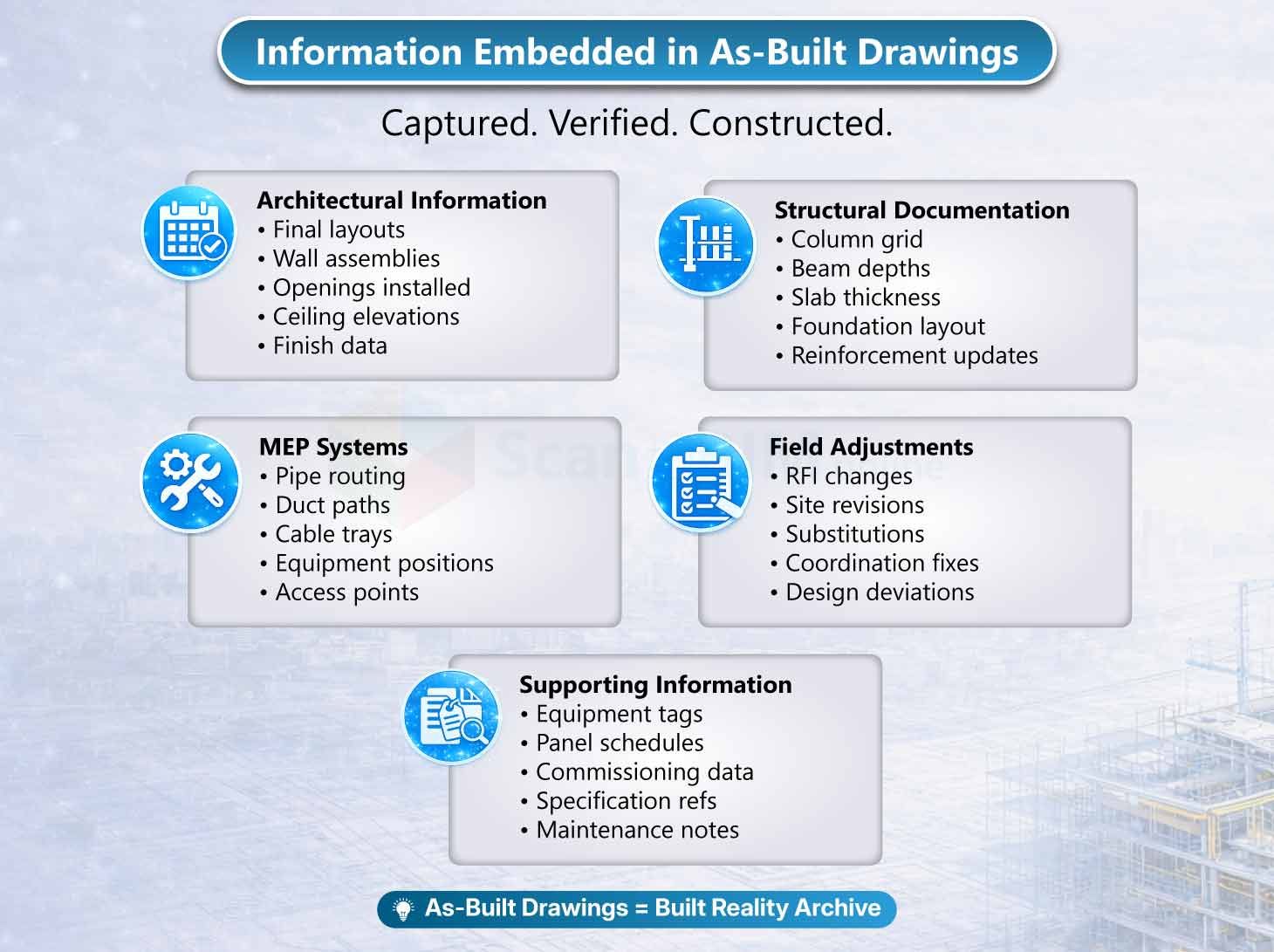
These drawings document finalized architectural and structural conditions after installation. Architectural content includes updated schedules reflecting installed materials and final dimensions. Structural documentation captures foundation-framing modifications, slab revisions, and material substitutions executed during construction. Final grid offsets, anchor bolt placements, embed plate locations and elevation benchmarks are recorded to match field conditions. These drawings present corrected dimensions rather than design-intent values, forming a static record of the constructed geometry.
MEP information reflects actual duct routing, pipe slopes, diameters, conduit paths, sprinkler head spacing, panelboard locations and equipment relocation. Underground utility shifts, invert elevations, grade changes, and deviations caused by unforeseen obstructions are clearly annotated. Field adjustments triggered by RFIs, dimension corrections, contractor markups, installation dates, and equipment tags are included in schedule formats. Supporting information often contains survey data references, change logs, annotated clouds, revision notes, and photographic documentation in digital sets. The documentation may appear visually edited, with layered markups and updated annotations indicating verified installation conditions.
Why Are As-Built Drawings Important
It provides the verified record of constructed work and document final installed dimensions, system locations, material substitutions, elevation adjustments, and field deviations from issued-for-construction drawings. They are required for owner handover, regulatory approvals, compliance audits, warranty validation, and financial reconciliation of completed scope. Facility teams use them to identify concealed piping, ductwork, conduits, and structural elements before maintenance or minor renovation activities. They establish the baseline for repair planning, equipment replacement, and tenant modifications without intrusive investigation. In projects supported by scan to BIM validation, field measurements can be checked against captured site data to confirm dimensional accuracy. Their reliability depends on accurate redline incorporation, documented RFI revisions, and recorded field measurements integrated into the final drawing set.
Who Creates As-Built Drawings?
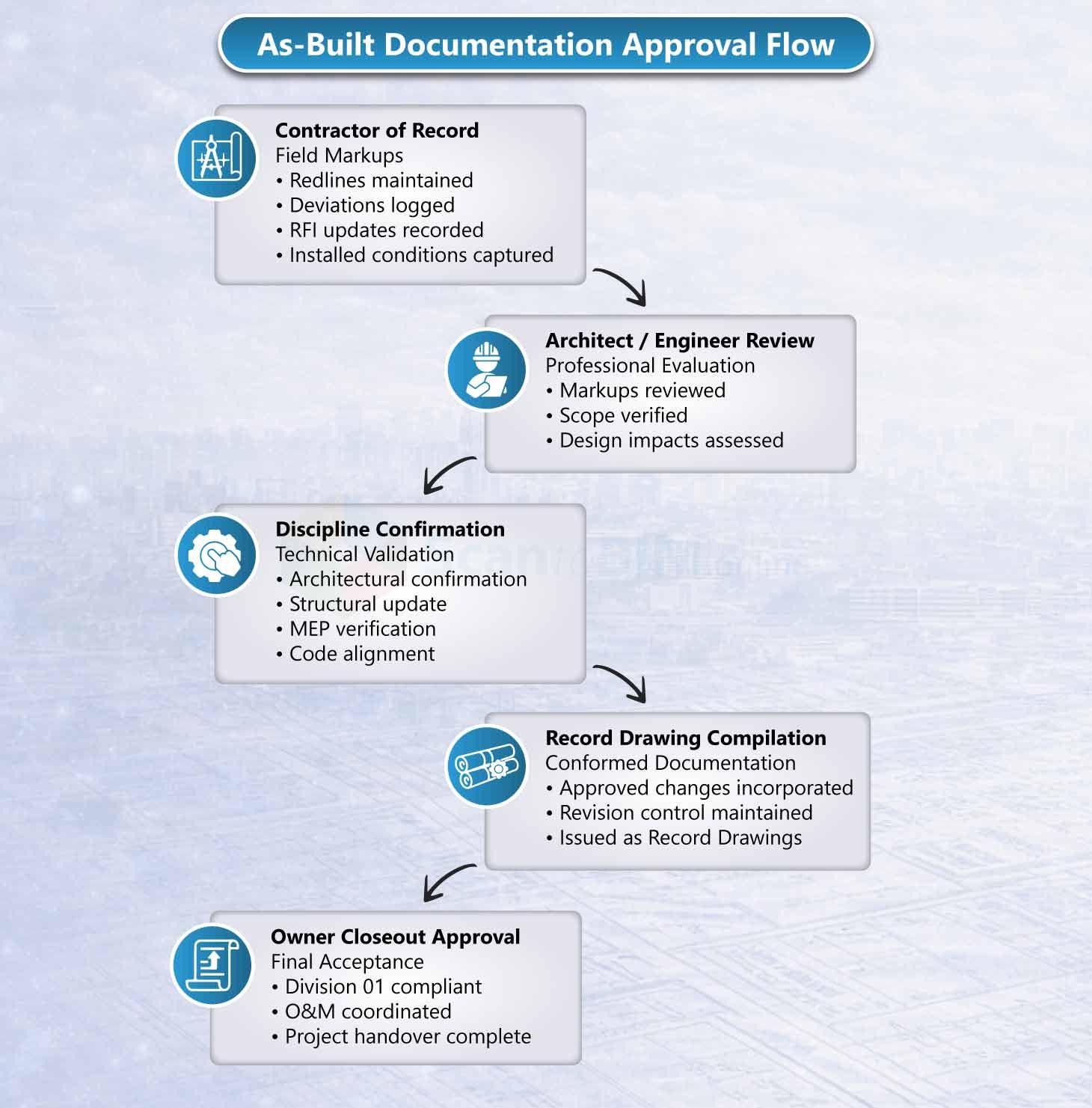
The creation of Record drawings depends on the contractual framework and project delivery method. In most construction projects, documentation begins onsite where changes are annotated during installation. Redlines reflecting dimensional shifts, routing changes, structural adjustments, and material substitutions are recorded progressively throughout construction. These marked documents are later consolidated into a finalized record drawing set issued at project closeout. The overall accuracy of the Construction Record Package is directly influenced by the quality, consistency, and discipline of field documentation. In digitally advanced workflows, survey or laser scanning firms may supplement manual records with high-precision field measurements to improve dimensional reliability.
Prepared By:
- General contractors managing project-wide record documentation
- Trade contractors (MEP, structural, architectural) marking discipline-specific modifications
- Drafting teams updating CAD files based on approved redlines
- Architects reviewing and issuing compiled record sets
- Surveyors providing verified field measurements
- Closeout consultants supporting documentation audits and submission packages
What Is As-Built BIM?
What Defines As-Built BIM?
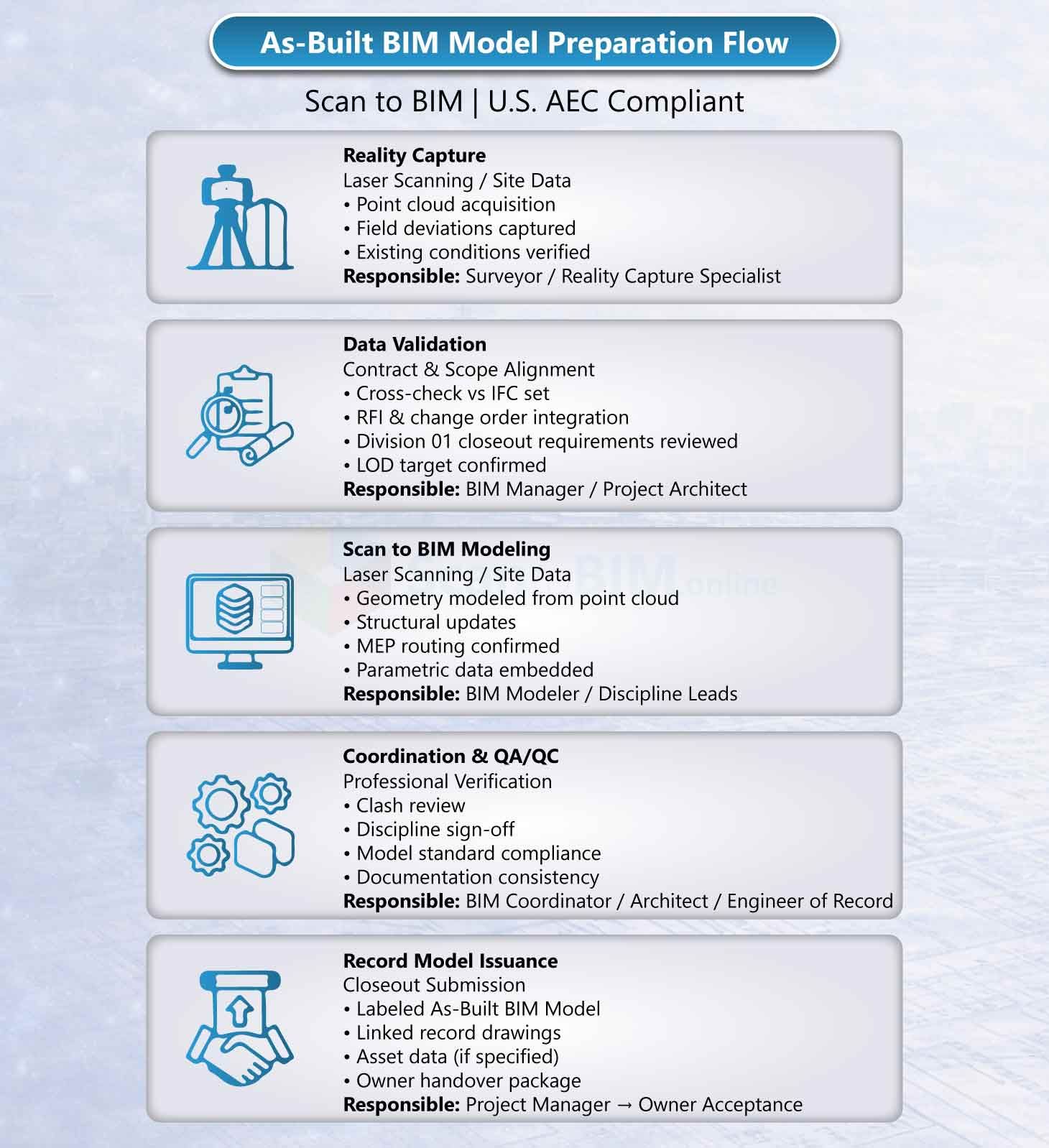
It's a fully updated Building Information Model that represents the completed building condition in a coordinated 3D environment. It reflects installed geometry, field deviations, measured tolerances, and system connectivity rather than design intent. The model is aligned to real-world coordinates using reality capture workflows such as terrestrial LiDAR scanning, UAV photogrammetry, and point cloud registration. Final deliverables may include a native Autodesk Revit model, IFC export, federated coordination model in Navisworks, or datasets structured within Bentley OpenBuildings. It functions as a structured digital dataset rather than a visual 3D drawing.
What Information Is Embedded?
As-Built BIM integrates geometric and non-geometric data within a coordinated model environment aligned to verified field conditions. Geometric data includes millimeter-level positioning derived from registered point cloud datasets, confirmed ceiling heights, validated equipment clearances, true wall thicknesses, slab edge positions, and structural offsets. MEP systems are modeled with exact duct transitions, pipe elevations, conduit offsets, valve and damper locations, and clash-validated routing paths. Each element reflects field-verified positioning rather than theoretical design placement.
It embeds structured asset intelligence and utility data. Objects contain manufacturer details, serial numbers, installation/Commissioning dates, maintenance intervals, and warranty information. Classification systems such as Uniclass or OmniClass organize assets for lifecycle tracking. When aligned with standards such as ASCE 38-22 for subsurface utility quality levels and ASCE 75-22 for as-constructed utility records, location accuracy classifications and underground infrastructure datasets become integrated. Space data, occupancy attributes, COBie-ready exports, IoT connection points, and performance data layers position the Finalized Project Model as a digital twin foundation.
Why It’s Important?
As-Built BIM provides measurable technical and operational value for BIM professionals by delivering multi-trade coordination validation, clash detection confirmation, and lifecycle-ready asset integration within a centralized digital environment. Through point cloud to BIM workflows, installed conditions are validated against captured field geometry, enabling tolerance verification and accurate renovation modeling.
BIM-based support automated quantity extraction, system-level analysis, and performance simulation while embedding searchable asset data linked to maintenance platforms. Federal agencies such as Federal Highway Administration define Updated Construction Model as lifecycle repositories where geometry and attributes support long-term infrastructure management. Compared to 2D record drawings, it reduces ambiguity, minimizes field investigation time, and functions as an operational dataset rather than a static closeout document.
Who Creates As-Built BIM?
As-Built BIM production is a coordinated technical workflow combining reality capture, survey control, parametric modeling, and data validation. The process begins with field data acquisition using LiDAR, mobile scanning systems, UAV photogrammetry, contractor redlines, and survey verification. Registered point cloud datasets provide the geometric foundation, enabling millimeter-level modeling precision when properly controlled. In advanced utility mapping workflows, field-to-finish processes report accuracy levels approaching 99.8% under validated survey conditions. The final model integrates geometry, system coordination, and asset metadata within a structured BIM environment.
These models are prepared by:
- BIM consultants responsible for modeling standards, LOD compliance, and data structuring
- Scan to BIM specialists defining modeling tolerances and geometry validation criteria
- Contractors with in-house BIM teams coordinating installed conditions with project documentation
- Digital engineering teams managing LiDAR-based capture alignment with project coordinate systems
- Trade coordination leads validating system routing against approved shop models
- Utility mapping professionals delivering field-to-model integration for buried services and infrastructure
Key Differences Between As-Built BIM and Traditional Drawings
| Category | Traditional As-Built Drawings | As-Built BIM |
|---|---|---|
| Format | 2D CAD files or PDF sheets | Intelligent 3D parametric model |
| Dimensional Representation | Static plan, section, elevation views | Fully navigable 3D environment |
| Geometry Structure | Line-based drafting elements | Object-based parametric components |
| Accuracy Source | Contractor redlines and field survey notes | Point cloud validated geometry |
| Data Depth | Graphic symbols with text annotations | Embedded asset properties and metadata |
| Query Capability | Manual interpretation required | Searchable object parameters |
| Coordination Method | Visual overlay comparison | Clash detection and rule-based validation |
| Update Mechanism | Manual revision clouds and sheet edits | Model-wide parametric updates |
| Lifecycle Use | Reference documentation | Operational data environment |
| Facility Integration | Standalone files | Integrated with CAFM and CMMS platforms |
Traditional as-built drawings communicate constructed geometry through graphical representation. As-Built BIM communicates geometry, embedded data, and system intelligence within a coordinated digital model.
Accuracy and Data Reliability Comparison
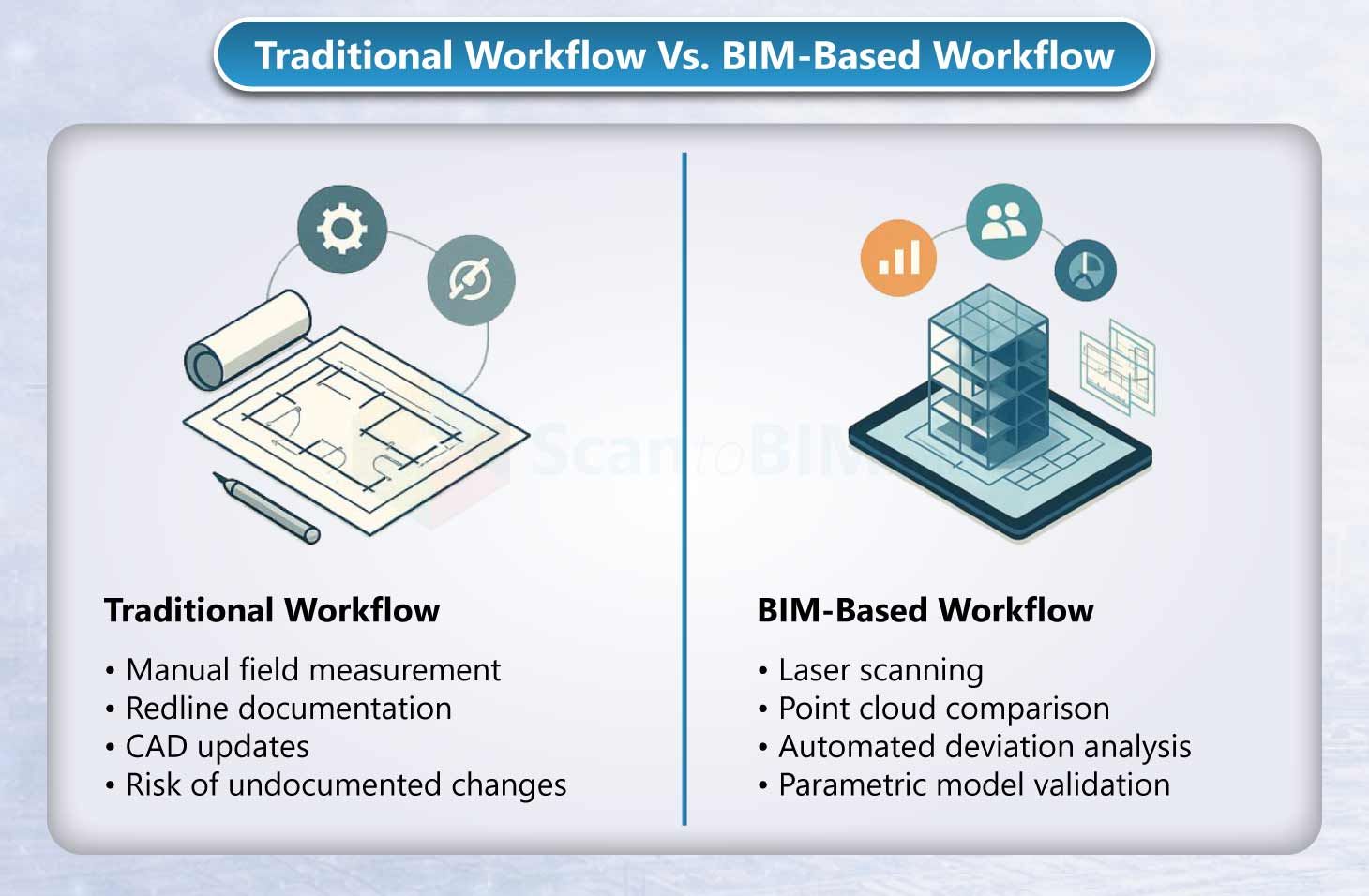
Accuracy in Post-Construction Documentation depends on the capture and validation method used during and after construction. Drawings are derived from manual site measurements and contractor redline annotations, which limits tolerance verification and introduces interpretation variability. Dimensional confirmation is typically reference-based rather than measurement-validated, and spatial conflicts cannot be fully assessed in three dimensions.
As-Built BIM is validated against registered point cloud datasets produced through laser scanning, enabling direct comparison between design and constructed geometry. This approach supports quantified tolerance control such as ±5 mm or ±10 mm depending on LOD specification, automated deviation reporting, and 3D clash validation. Measurement-driven modeling increases data reliability by aligning parametric objects with captured site conditions.

Cost and Time Considerations
Traditional As-Built Drawings:
These drawings involve lower initial documentation cost and faster preparation when contractor redlines and field notes are complete. Production typically includes updating 2D CAD files and issuing revised sheets at closeout. The output serves as static reference documentation, with quantity takeoffs, renovation measurements, and system verification requiring manual review. Downstream efficiency gains remain limited because geometry is not object-based or searchable. Cost evaluation primarily reflects drafting hours rather than long-term operational performance.
As-Built BIM
It includes higher upfront investment due to LiDAR scanning, point cloud registration, parametric modeling, and tolerance validation, forming the primary components of scan to BIM cost. Modeling time depends on required LOD, asset data depth, and validation scope. Digital twin workflows have documented 60–70% reductions in site documentation time during renovation projects. Large infrastructure programs managing approximately 2,500 kilometers of supply lines have applied model-based coordination to reduce physical site visits. Automated quantity extraction, clash analysis, and system-level validation contribute to measurable lifecycle ROI beyond initial modeling expenditure.
The scan to BIM cost in the U.S. in 2026 ranges from $2,500 to $200,000+, with approximately 30% for scanning and 70% for modeling and QA. Digital twin workflows report 60-70% faster renovation documentation and fewer repeat site visits across large infrastructure networks. The value calculation centers on risk reduction and lifecycle return.
When to Choose As-Built BIM Over Traditional Drawings
As-Built BIM suits large commercial and infrastructure projects. These projects have dense MEP routing, heavy utility congestion, and high renovation sensitivity. Owners select it for hospitals, airports, data centers, and industrial facilities. Owners consider as-built BIM for long-life assets that exceed 20 years. Accordingly, owners plan lifecycle tracking, predictive maintenance, and digital twin integration. Projects need ASCE-compliant underground utility documentation. Projects need phased renovation sequencing. These projects benefit from 3D validated models. Traditional drawings suit small residential buildings and minor interior fit-outs. They suit low-complexity structural scopes and limited system density. They suit projects without lifecycle asset management requirements or digital integration objectives.
Conclusion: Which Option Is Right for Your Project?
Traditional as-built drawings document constructed conditions in 2D format. They meet contractual closeout, archival compliance, and reference requirements. As-Built BIM represents the built environment as a 3D dataset. The model contains verified geometry, asset metadata, tolerance validation, and lifecycle system integration. 2D record drawings provide sufficient documentation for small-scale projects with limited operational scope. Complex buildings with dense infrastructure networks, high-risk renovations, and asset-driven portfolios benefit from Field-Verified BIM Models. Field-Verified BIM Model delivers higher dimensional accuracy. It delivers coordination validation. It provides searchable data and integration with facility management and digital twin platforms. The appropriate approach depends on project scale, risk profile, lifecycle objectives, owner requirements, and digital strategy maturity.
Frequently Ask Question
1. Is As-Built BIM more accurate than traditional drawings?
Yes. It validates geometry using registered point cloud data and applies defined tolerances such as ±5 mm or ±10 mm based on project requirements. Traditional drawings record measurements manually and do not perform 3D deviation analysis.
2. Is As-Built BIM worth the cost?
Yes, when the project includes dense MEP systems, phased renovations or long-term asset tracking. Teams gain clash validation, automated quantity extraction, and reduced future site verification effort.
3. Can traditional as-built drawings be converted into BIM?
Yes. BIM Modelers convert 2D CAD or PDF record drawings into parametric BIM models. Teams improve dimensional accuracy by incorporating laser scan data or verified survey control.
4. When should a project use As-Built BIM instead of traditional drawings?
A project should use As-Built BIM when it involves utility congestion, renovation sensitivity, digital twin objectives, ASCE-compliant underground documentation or asset lifecycles exceeding 20 years.
5. What level of development (LOD) is required for As-Built BIM models?
The required LOD depends on project goals. Teams use LOD 300 for spatial coordination, LOD 350 for interface conditions and LOD 400 for fabrication-level geometry and facility management data integration.